


Connecting a Facebook Pixel to Your Wix Site
2 min
The Facebook pixel is a marketing tool which can be used to track conversions and create custom audiences from visitors who have previously visited your site. If you are a Wix Stores user, you can also use Facebook pixel to track when a site visitor viewed a product page, added a product to cart, and completed a purchase.
From February 2021, you must have a verified domain to set up tracking in Facebook.
In the instructions below, you'll learn how to:
- Add Facebook pixel to your Wix site.
- Verify your domain on Facebook.
Important:
To use this feature you must have a Premium Wix site with a connected domain.
To add Facebook Pixel to your site:
Step 1 | Retrieve your Facebook pixel

Step 2 | Add the Facebook pixel to your Wix account
To verify your domain on Facebook:
Step 1 | Add your Wix site domain to Facebook
Step 2 | Add the Facebook pixel to your Wix account
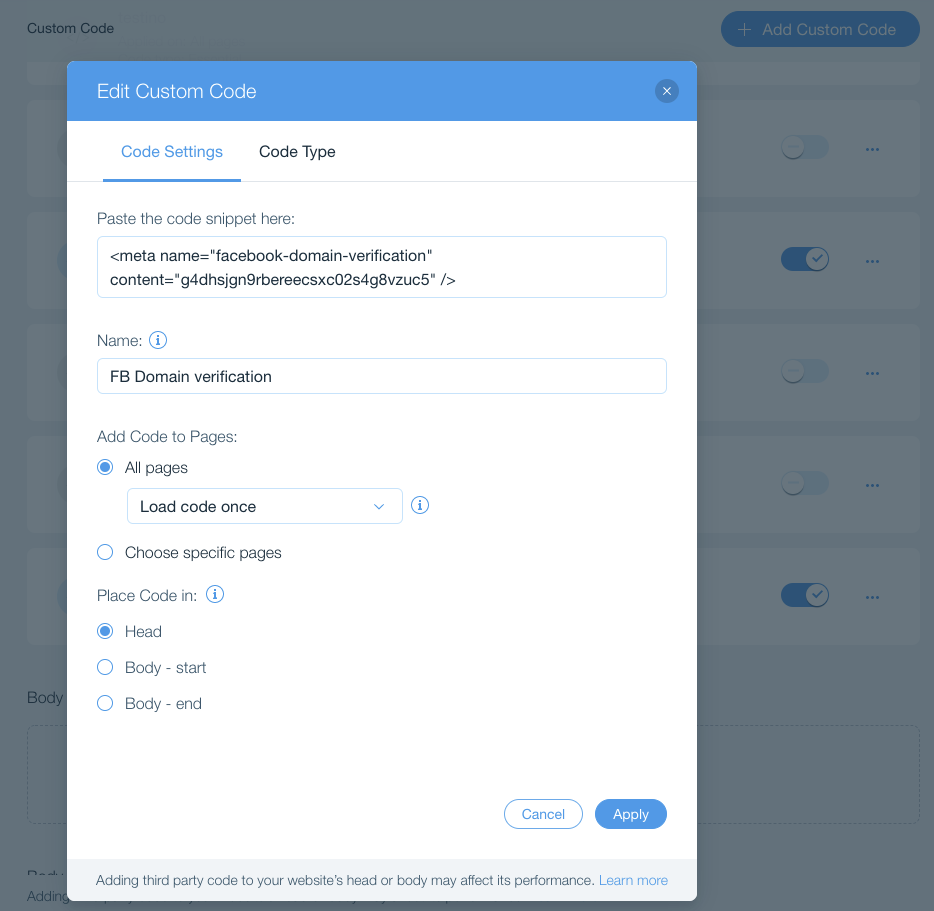
Step 3 | Return to Facebook to complete verification
Important:
By using this service, you are engaging directly with a third-party service provider. We recommend reviewing the service provider's Privacy Policy and Terms of Use prior to your use of such third-party service. You acknowledge that we are not liable for any loss or damage resulting from your use of such third-party service, including any liability arising from any personal data exchanged between you and such third-party.
