


AI Marketing Agent: Understanding the Marketing Plan
In this article
- Viewing and managing your content plan
- Viewing and managing your marketing strategy
- Downloading your plan
- FAQs
The Marketing Plan in the
AI Marketing Agent dashboard helps you keep track of your agent's marketing activities. It gives you everything you need to know about the content your agent is generating and how it's helping to promote your business.
Your personalized plan is split into a monthly content plan and the marketing strategy. The content plan lets you preview, review, and approve upcoming posts, while the marketing strategy highlights your brand’s big-picture approach.
Viewing and managing your content plan
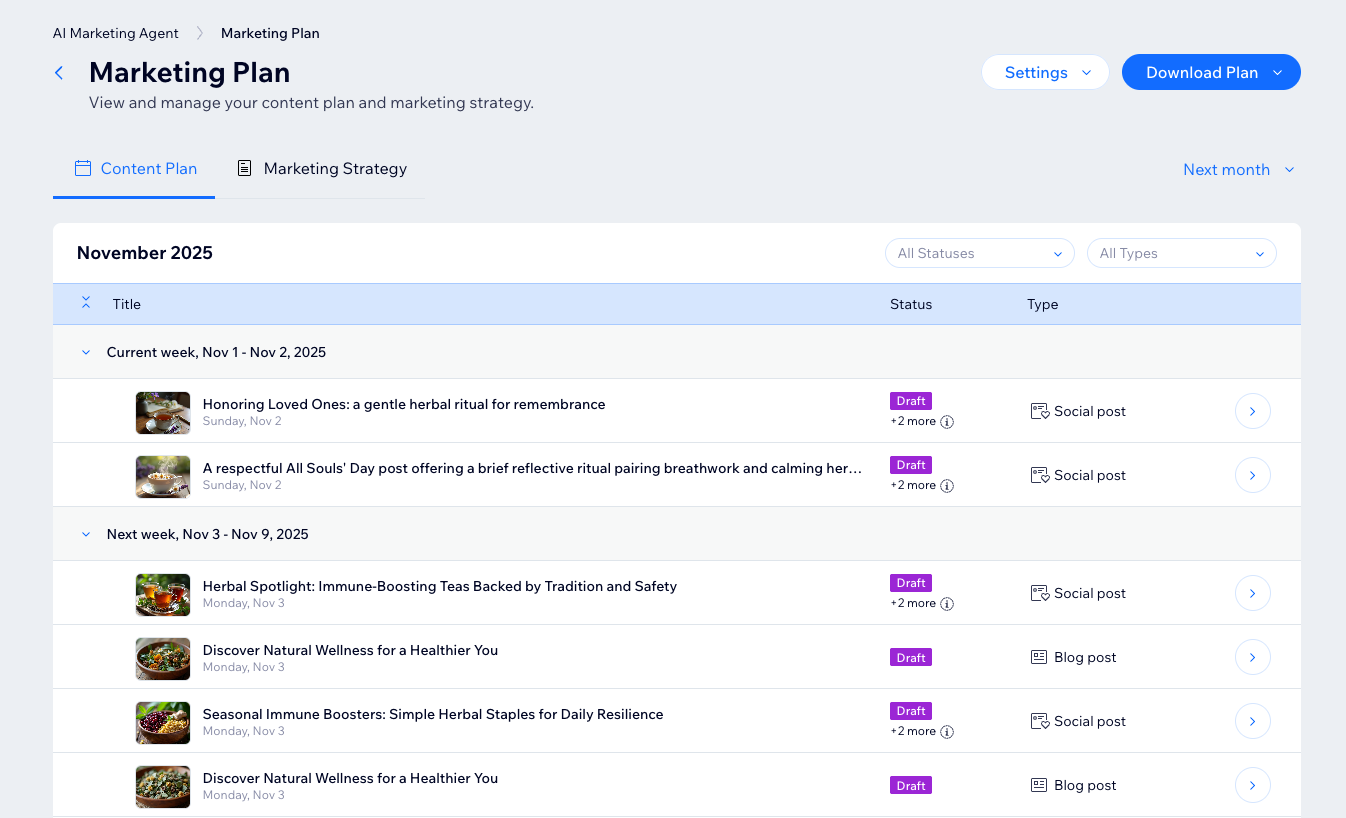
Your content plan shows every piece of content that the AI Marketing Agent will prepare for each service you’ve activated - social posts, blogs, and emails. It uses your
marketing settings to generate posts which you then review and approve. You can see what's coming up and make changes to the plan accordingly.
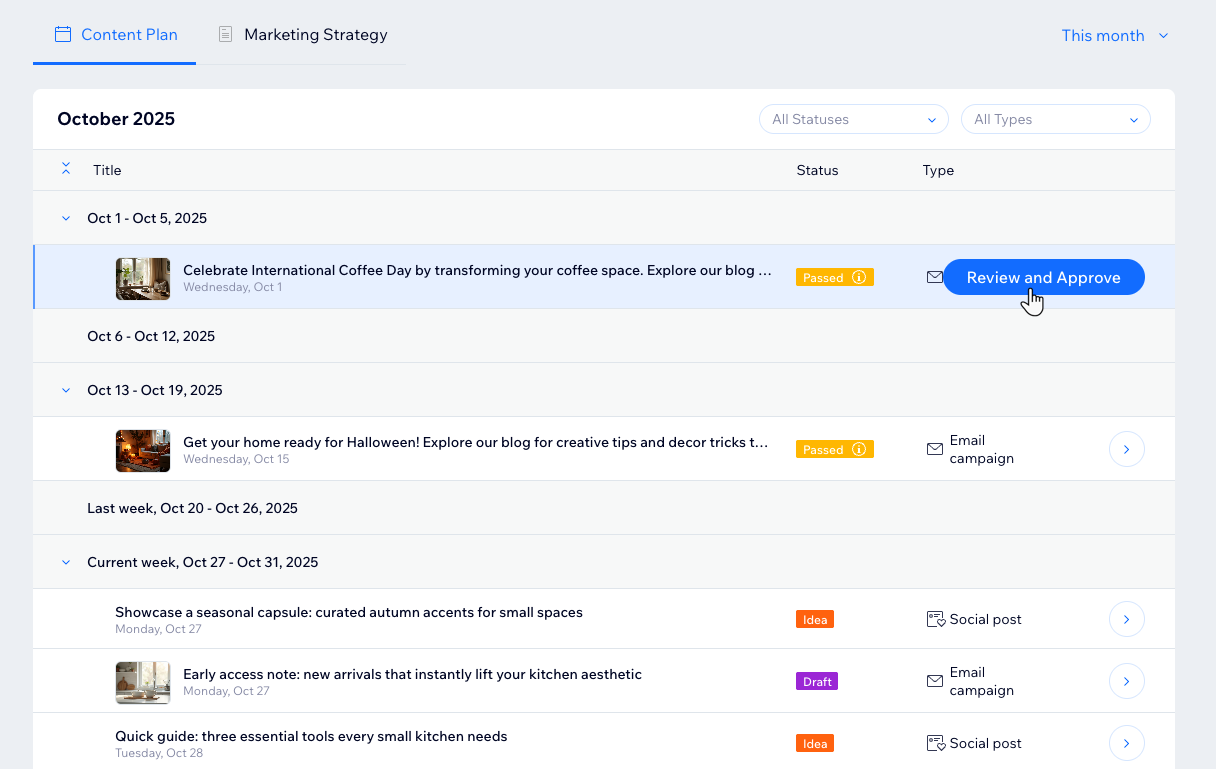
As each piece of content moves through the workflow, you can track its progress from the initial suggestion, to your review, to being scheduled for publishing, and finally to completion. If a post isn’t approved or there’s an issue with publishing, its status is updated so you always know what stage it’s in.
What does each status mean?
To view and manage your content plan:
- Go to the AI Marketing Agent in your site's dashboard.
- Click View Marketing Plan at the top right.
- In the Content Plan tab, choose what to do:
View your current or next month's content plan
Filter content by status or type
Approve or dismiss content
Edit ideas
Delete ideas you don’t want to use

Viewing and managing your marketing strategy
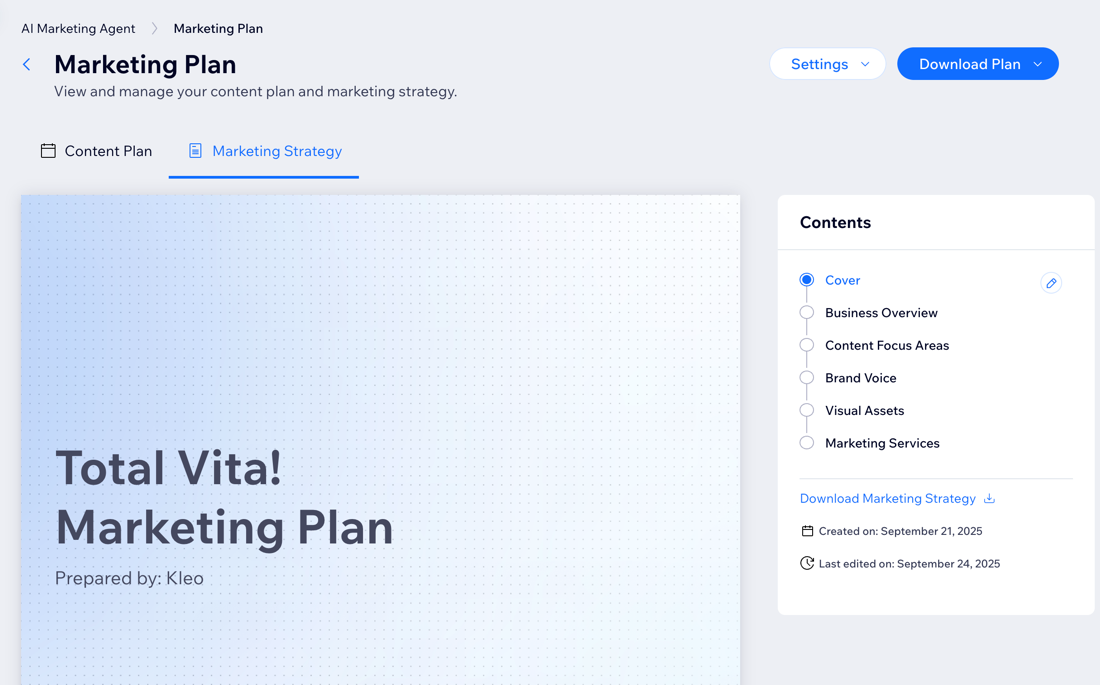
The marketing strategy is a document that covers your brand values, business goals, keyword research, and other details to guide the agent's content generation. Any updates to these
settings will reflect in the strategy.
You can also customize the cover page and export it as a PDF to distribute to your team and other stakeholders.
To view and manage your marketing strategy:
- Go to the AI Marketing Agent in your site's dashboard.
- Click View Marketing Plan at the top right.
- Choose what to do:
- Update your marketing settings: Click the Settings drop-down at the top and click Manage settings. Update your goals, content focus, brand voice, and more.
- Customize the cover page: Click the Edit icon
 next to Cover to update the cover page.
- Site name: Change the name that appears on the cover page.
- Logo: Update or remove your business logo.
- Prepared by: Change the name shown on the cover page of the person who prepared the plan.
Downloading your plan
Download your marketing plan for offline reference or to share it with your team and other stakeholders.
To download your plan:
- Go to the AI Marketing Agent in your site's dashboard.
- Click View Marketing Plan at the top right.
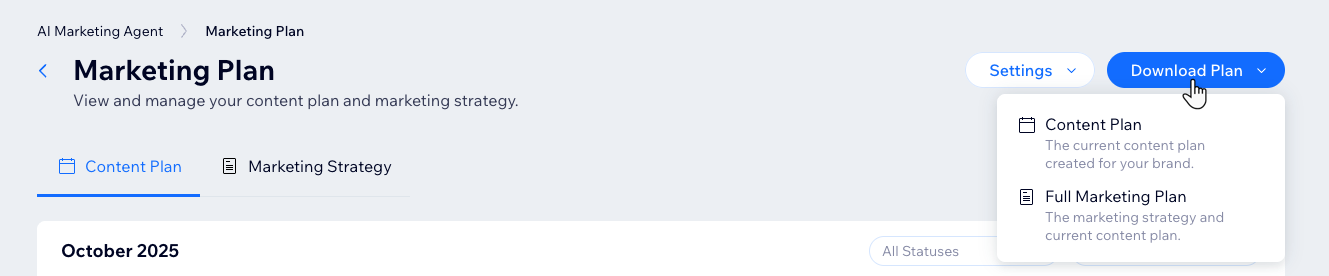
- Click Download Plan.
- Select what to download:
- Content Plan: Download your current content plan.
- Full Marketing Plan: Download both the marketing strategy and content plan in one PDF.
FAQs
Click a question below to learn more.
How often does my content plan update?
Is the marketing strategy just for reference, or does it affect content?
How do the dashboard and content plan work together?
Can I add new content to the posting schedule?
