


Wixel: Working with the Layers Panel
In this article
- Working with layers
- Grouping elements
- Ungrouping elements
- FAQs
The Layers panel gives you a structured view of all the elements inside a project or specific design. Each element (e.g. text, image, shape) is represented as a layer, so you can see, select, re-order, group, and manage elements within a design.
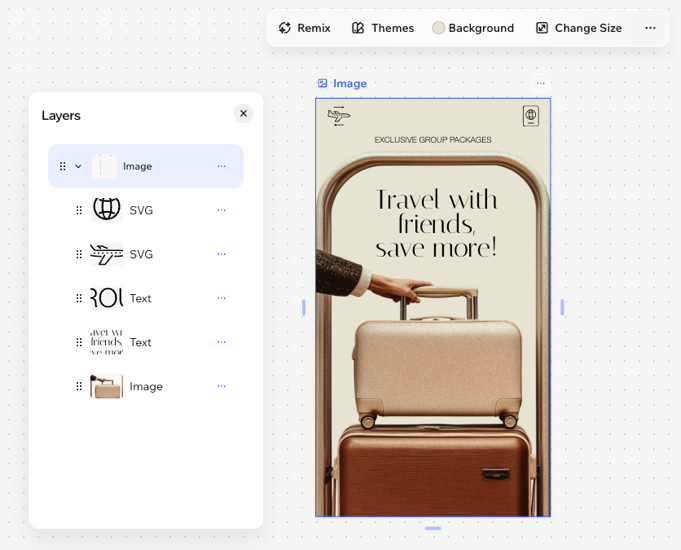
Working with layers
Learn how to work with layers efficiently to help your project stay organized.
To work with layers:
Desktop browser
Wixel app
Click the Layers icon
 at the bottom.
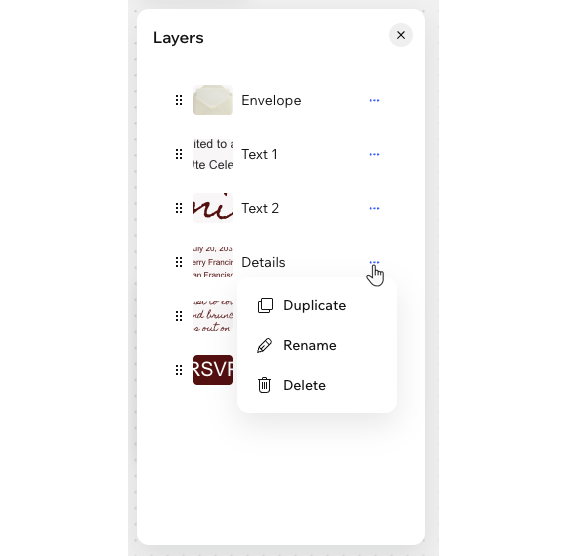
Choose what you want to do:
Manage design types
 next to a design type.
Manage elements
Grouping elements
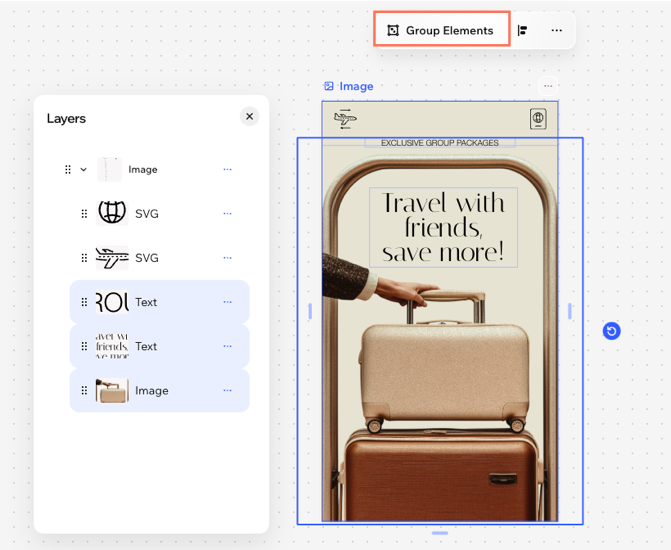
Grouping elements makes it easier to organize your design and move, resize, or edit multiple elements at once. You can group any combination of elements, such as text, images, or shapes. The selected elements become a single group, which appears as a group in the
Layers panel.
Note:
This feature is only available on your desktop.
To group elements:
Hold the Shift key and select the relevant elements in a design.
Click Group Elements on the action bar.
Tip: You can also press Ctrl + G / Cmd + G in your keyboard to group the elements.
Ungrouping elements
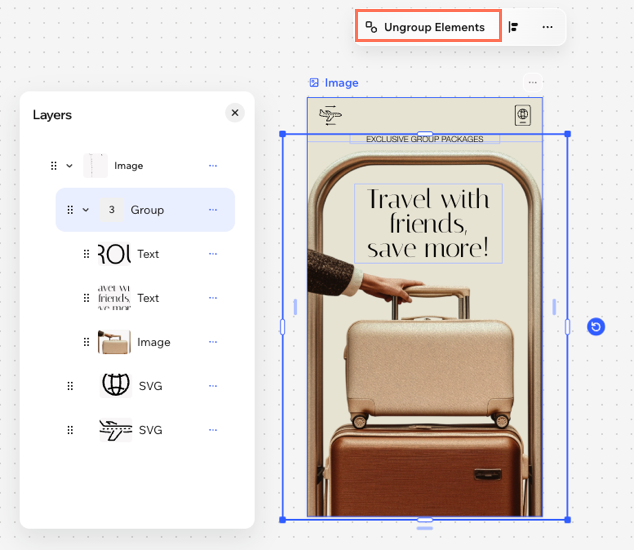
Ungroup elements at any time to return to managing elements individually. This doesn't remove the elements from your project, it only breaks apart the group they were in.
To ungroup elements:
Select the relevant group and click Ungroup Elements on the action bar.
Tip: You can also press Ctrl + Shift + G (PC) / Cmd + Shift + G (Mac) in your keyboard to quickly ungroup.
Tip:
On the Wixel app, select the relevant group and tap
Ungroup Elements on the action bar.
FAQs
Click a question to learn more about layering in Wixel.
I can't find an element on my design. Where has it gone?
How can I select overlapping elements on my page?
