


Wix Stores: Understanding Product Import Error Messages
1 min
When importing products to Wix Stores, you may encounter some errors. This article will help you understand what these message mean and explain how to update your CSV file so you can import all your products successfully.
Error message example
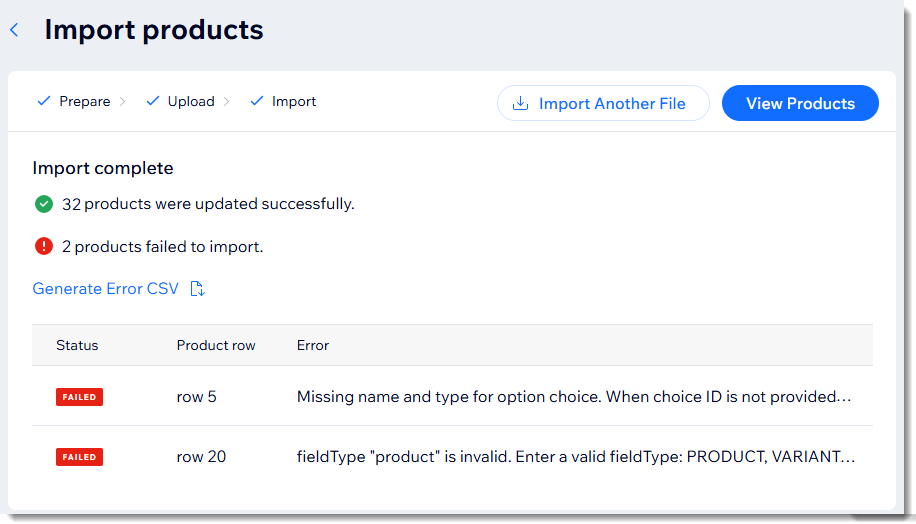
After importing, you'll see an overview showing the number of products imported successfully, and the ones that failed to import. You can click Generate Error CSV to download an error list.
Important:
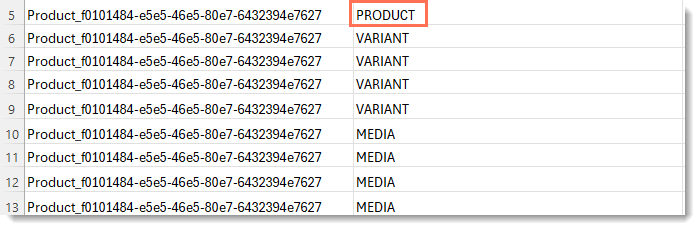
Only the Product row is indicated in the error report. In other words, if row 5 is a product row and rows 6 to 13 are the variants and media belonging to that product, the errors are all listed as 'row 5'.
After correcting all the errors and saving your changes, click Import Another File to upload the corrected file.
