


Wix Stores: Tagging and Displaying Products on YouTube
In this article
- Tagging products in a video
- Tagging products in a livestream
- Managing your channel's Store tab
- FAQs
Add a revenue stream by monetizing your YouTube videos and channel. Choose any of the options that YouTube offers.
You can tag products in a video or when you're hosting a livestream event. In addition, YouTube will automatically create a
Store tab in your channel that visitors can browse. Customers can click your products to complete a purchase in your store.
Before you begin:
You need to
connect your Wix store to your YouTube channel.
Tagging products in a video
Make sure your viewers have easy access to the products you mention by tagging them in your videos.
While editing a video, go to the
Monetization tab and select the relevant products. They'll appear underneath your video.
Learn how to
tag products in a video.
Tagging products in a livestream
Hosting a livestream event? Don't miss the chance to display products in the stream. You can feature up to 30 products per event.
Learn how to
tag products during a livestream event.
Managing your channel's Store tab
After successfully connecting to YouTube, a Store tab is automatically added to your channel. By default, all the products in your Google Merchant Center are displayed.

Learn more about
managing your YouTube store tab.
FAQs
Click a question below to learn more.
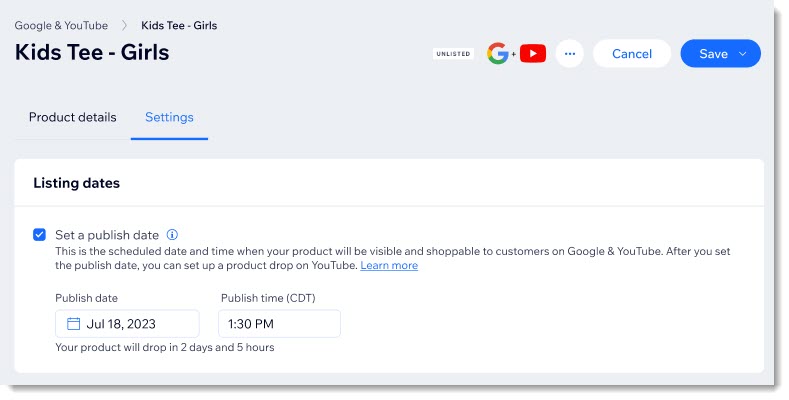
Can I set a future date for a product drop?
What happens when a customer clicks one of my products?
How can I track traffic and sales that originate from YouTube?
How can I disconnect my site from YouTube?
 at the top right.
 next to YouTube channel.