


Wix Smart Chat: Managing Your Communication Channels and AI Replies
- Managing your communication channels and AI replies
- FAQs
Connect your communication channels to manage visitor conversations from your social accounts in Wix Inbox. Reply yourself when you want a personal touch, or turn on AI replies to answer your site's visitors automatically.
This feature is currently only available with WhatsApp Business. Learn how to connect WhatsApp Business to Wix Inbox.
Managing your communication channels and AI replies
Manage conversations from your connected social accounts. You can reply yourself when you want to add a personal touch, or use AI replies to respond to site visitors automatically.
To manage your channels and AI replies:
Go to Smart Chat in your site's dashboard.
Click the Manage dropdown and select Channels.
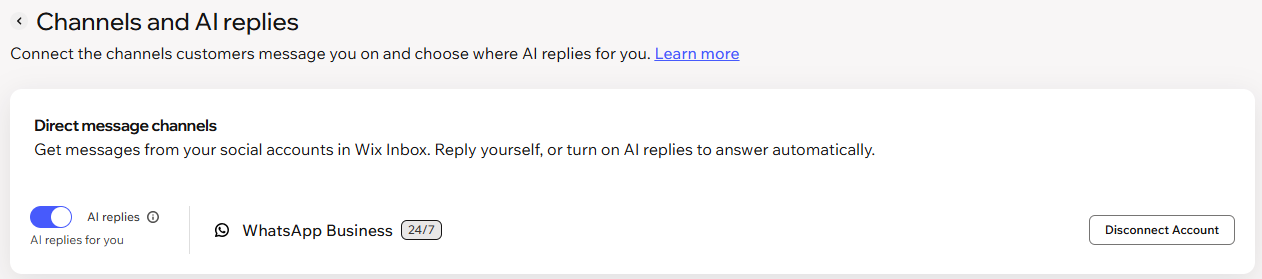
Check that the relevant channel is set up under Direct message channels.
Note: Click Set Up to connect a channel. If the communication channel is already connected, you see Disconnect Account instead.(Optional) Enable the AI replies toggle to let AI reply to messages automatically.
FAQs
Click a question below to learn more.
