


Troubleshooting Errors When Connecting Your Site to Google
4 min
In this article
- Check that your email address is the correct one
- Make sure that you connected your domain
- Make sure your homepage is not password protected
- Check your Google Search Console account properties
- Add an exception to your browser's adblock extensions
- Check your cookie settings
- Click "Allow" in the Connect to Google permissions pop-up
- Clear your browser's cache and cookies
- Try a different browser
You may sometimes run into technical issues when submitting your request to connect to Google. The steps in this article help you resolve the most common connection issues.
Check that your email address is the correct one
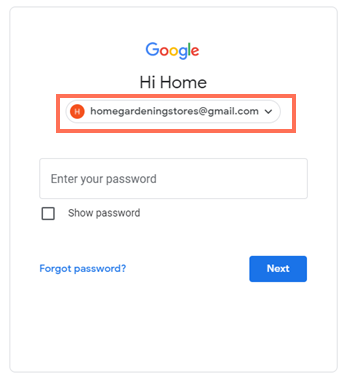
If you have more than one Google account, make sure that the correct email is listed when you sign in. If it isn't, log out of all your Google accounts and then sign in with the correct Google account.
If you use a university or educational email address which includes ".edu", your university may block access to certain services. You can change the email address of your Wix account and then connect to Google.
Make sure that you connected your domain
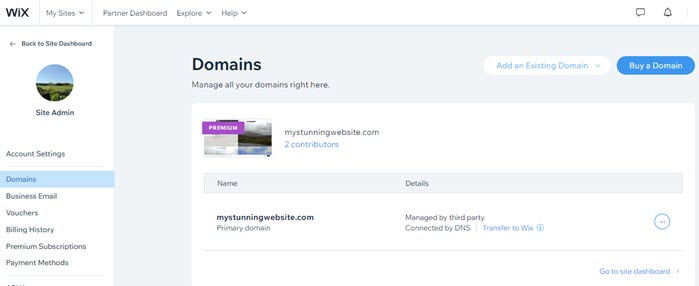
To connect to Google, you need to have a Premium plan and a connected domain.
If you're having issues connecting your domain, you can follow the steps in this Domains article.
Make sure your homepage is not password protected
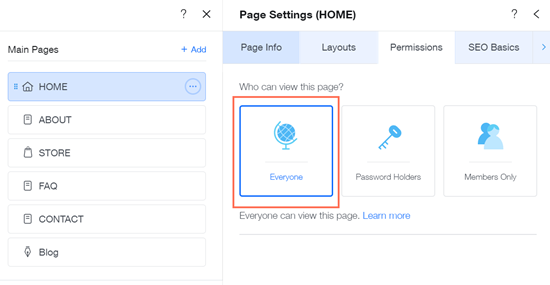
If your site's homepage access is for members only or password protected, search engine bots won't be able to crawl and index it.
You'll need to remove the password protection from your homepage to connect to Google.
Check your Google Search Console account properties
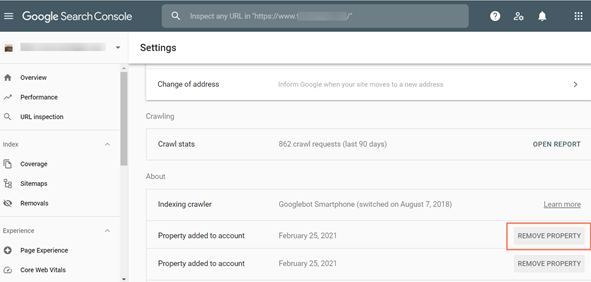
If you have more than 1000 properties in your Google Search Console account, you may have issues connecting your site to Google.
To resolve this issue, remove properties in your Google Search Console settings and manually submit your sitemap. After you've done this, you can submit a new request to connect to Google.
Add an exception to your browser's adblock extensions
If you use adblock extensions in your browser, you may not be able to open the Connect to Google pop-up to complete your connection to Google.
Add an exception for the site page to your adblock extension or temporarily disable it to complete your request.
Check your cookie settings
If you have blocked third-party cookies and site data in your browser, you may not be able to connect to Google.
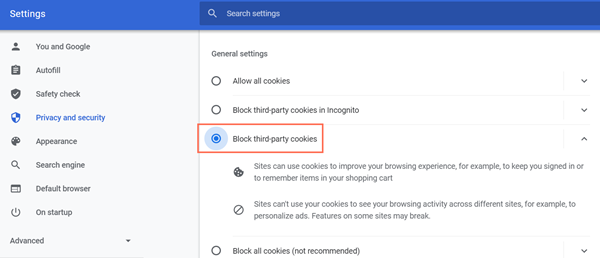
Try enabling cookies in your browser's settings or preferences. If you're still having issues, you can also try clearing Wix cookies from your browser.
Click "Allow" in the Connect to Google permissions pop-up
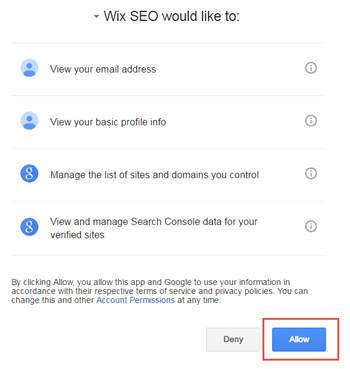
Your site needs certain permissions in order to connect to Google.
Make sure to click Allow on the Connect to Google pop-up which appears when you submit your request.
Clear your browser's cache and cookies
Websites often create files known as cookies when you visit them. Cookies contain user-specific information, such as authentication data, and are stored by your web browser.
To speed up loading times, your browser also stores (or "caches") data about each website you visit. Over time, your browser's cached data can differ from the actual live webpages, potentially causing issues.
If you're having issues connecting your site to Google, you can try clearing Wix cookies from your browser and clearing your browser cache.
Try a different browser
Sometimes an issue connecting your site to Google can be related to your browser's settings. We recommend that you use the latest version of a supported browser to ensure optimal performance and security.
To test if your browser is the issue, you can try using an incognito window or try using a different browser.
Note:
If using an incognito window or a different browser resolves the issue, it may be a problem with your current browser. Let us know the name and version of the browser you're having trouble with so we can help you troubleshoot.
