


Wix POS Go: Viewing Your Sales Report
Important:
This article is about sales reports on the Wix POS Go as a standalone device.
The Wix POS Go is currently only available in the US, Canada, and the UK.
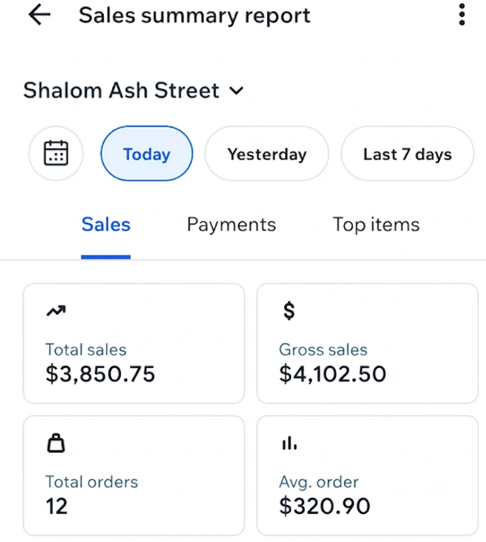
Check your Sales summary report for a quick summary of your business's daily performance. You can review key details like cash and credit card totals, applied discounts, and more.
To view your sales report:
Open your POS Go device.
Tap the Menu icon
 at the bottom left.
Tap Reports.
Tap Sales summary report.
Select the date(s) you want to view at the top.
(Optional) Tap the More Actions icon
 at the top and choose what to do next:
Tap Print report to print the report using your receipt printer.
Tap Email report to send the report to your email address.
FAQs
Click a question below to learn more about your sales report.
How can I view more detailed analytic data?
How can I view data for a different location?
Can I email or print a report?
