


Wix Payments: Adding PayPal with Wix Payments
In this article
- Adding PayPal with Wix Payments
- FAQs
Add PayPal with Wix Payments as a payment method to help your customers pay quickly and securely using PayPal.
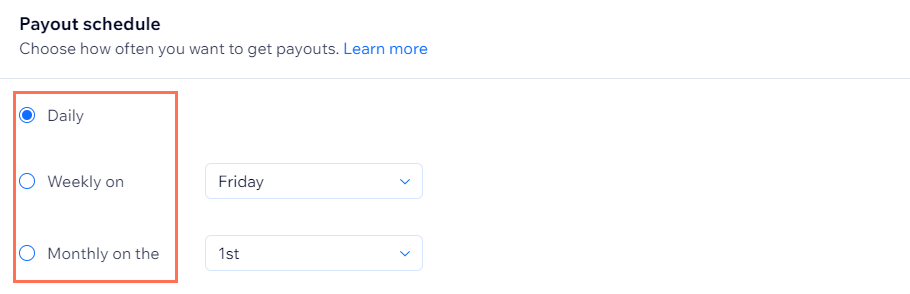
PayPal with Wix Payments allows you to manage PayPal payments along with all your other Wix Payments transactions from a single place in your Wix Payments dashboard. Payouts arrive in your bank account according to your chosen
payout schedule. PayPal with Wix Payments also supports
recurring payments.
Before you begin:
- PayPal with Wix Payments is currently available only to select users in the United States.
- You must set up Wix Payments to accept payments via PayPal with Wix Payments on your site.
- If you wish to connect an existing PayPal account you can connect PayPal as a third-party payment provider.
| General Info | |
|---|---|
Supported countries
|
United States
|
Supported currencies
|
USD
|
Supported payment options
|
|
Processing fees
|
USA: From 3.49% of the transaction amount + 0.49 USD per transaction
Learn more about Wix Payments service fees |
Support information
|
For help setting up or managing PayPal with Wix Payments,
contact Wix Customer Care
|
Information about PayPal payments
|
|
Adding PayPal with Wix Payments
- Go to Accept Payments in your site's dashboard.
- Click Manage next to Wix Payments.
- Enable the toggle next to PayPal.
Note: If you already have PayPal connected as a third party provider, you'll be asked to confirm disconnecting it in order to connect PayPal with Wix Payments.

FAQs
Click a question below to learn more about using PayPal with Wix Payments.
Do I need to create a new PayPal account to use PayPal with Wix Payments?
I have an existing PayPal account. Can I connect this to Wix Payments?
Where can I view my PayPal payments?

Where can view my payouts from Wix Payments?
What is a payout schedule?
Can I change my payout schedule?
Can I get PayPal payments sent to my PayPal account instead of my bank account?
Can I disable PayPal as a payment method on checkout?
I already have PayPal connected as a third-party provider. Can I switch to PayPal with Wix Payments?

Can I switch back to my original PayPal account version after switching?
Is PayPal Seller Protection available with PayPal with Wix Payments?
