


Wix Multilingual: Managing Your Languages
In this article
- Managing your languages
- FAQs
Use the Multilingual dashboard to manage all your languages in one place. As your business grows, add and translate more languages. You can also choose which languages to show on your site and remove the ones you don't need.
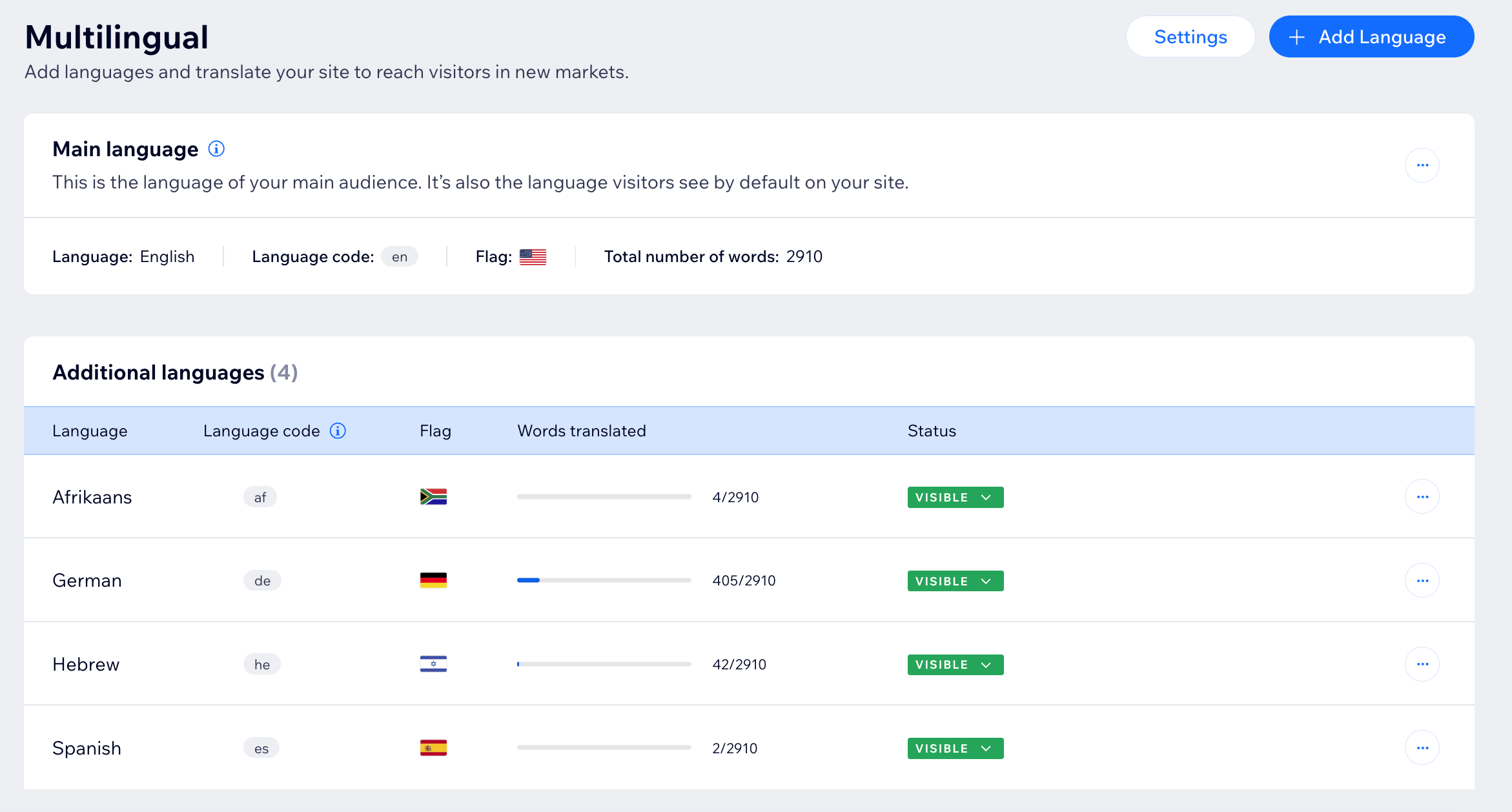
Managing your languages
Manage the languages on your Wix Multilingual site from your site's dashboard. Add or remove languages, adjust visibility, or set a default visitor language to ensure the best experience for your audience. You can also import or export translations to save time and keep your content consistent.
To manage your site's languages:
- Go to Multilingual in your site's dashboard.
- Choose what you want to do next:
Add a language to your site

Add a locale to your site
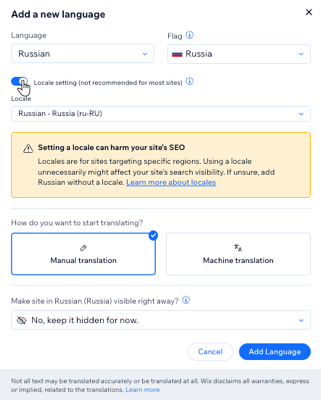
Set a default visitor language
 next to the relevant language.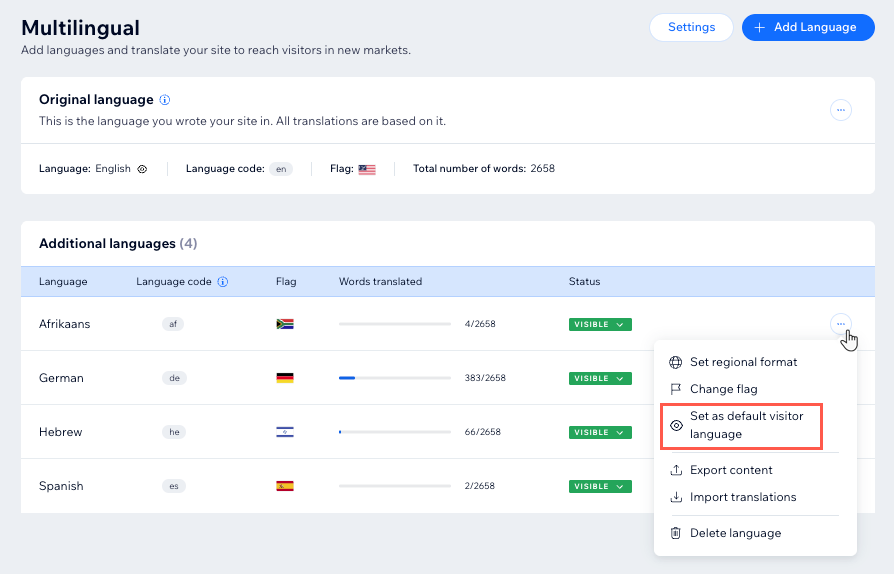
Show or hide a language on your site

Delete a language from your site
 next to the language you want to delete.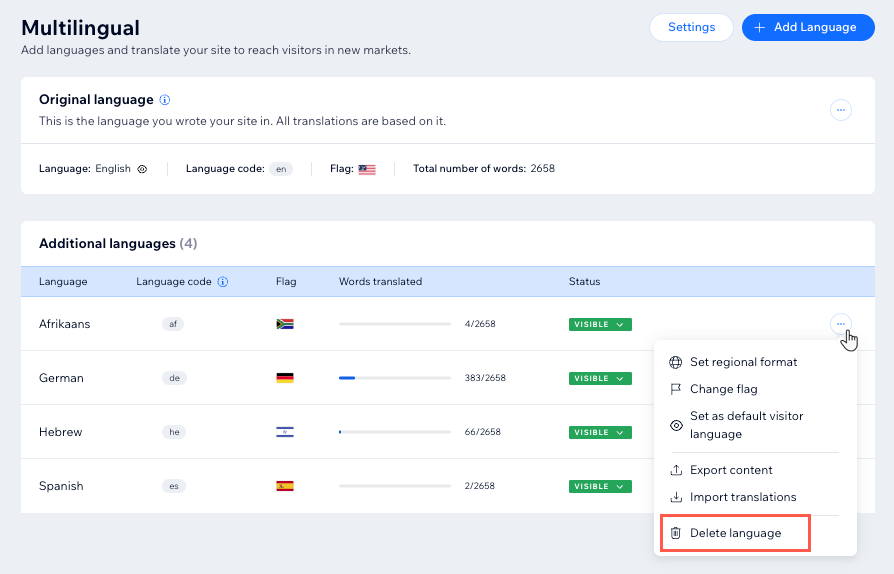
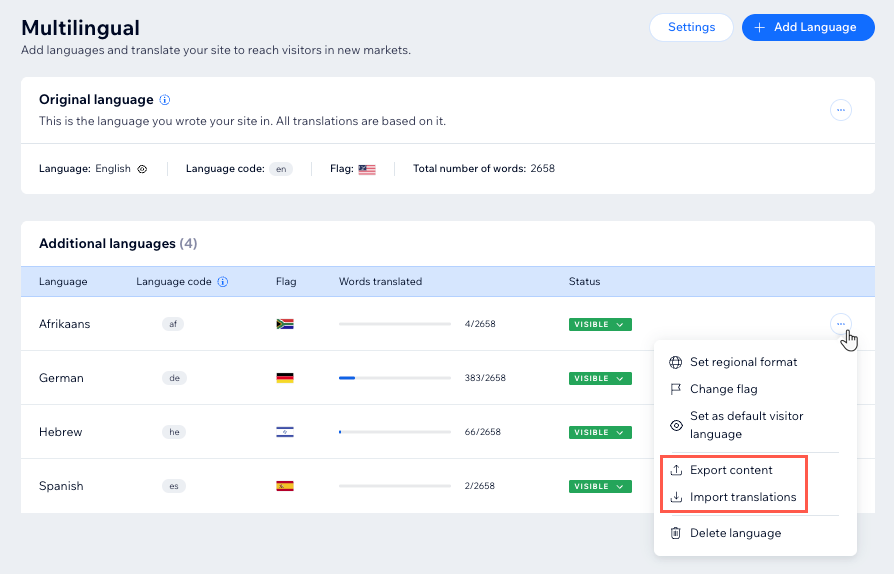
Import or export translations
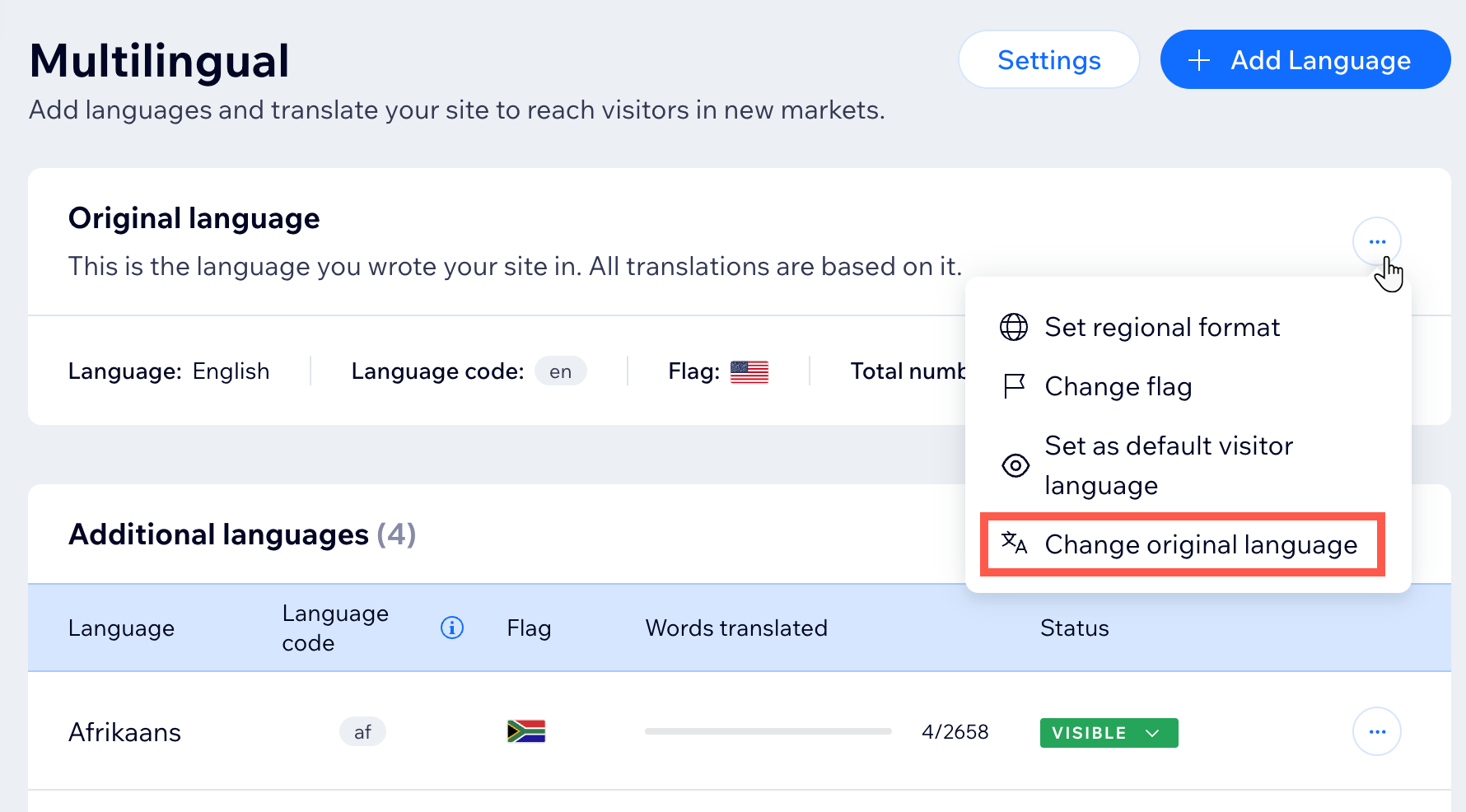
Change your site's main language
FAQs
Click a question below to learn more about managing your site languages:
Is my language menu still visible if I hide all my secondary languages?
My languages are set to visible, but the language menu is missing from my site. What happened?
Can I change my site's main language?
How do I handle automations for multilingual websites?
Where does the time zone for automated actions come from?
What should I do if my automated emails are sent in the wrong language?
