Wix Harmony Editor: Working With the Site Overview Panel
In this article
- Get set to go live
- Adjust your info and look in seconds
- Optimize your site for discovery
- Keep your site accessible
- Stay updated with analytics
This article refers to the new Wix Harmony Editor, released in January 2026. If you're unsure whether you’re using the Wix Harmony Editor or the Wix Editor,
view more information here.
Keep your site looking and performing its best with the Site Overview panel. Instantly check key details, update your info and take action right from one place, without ever leaving the editor. Everything you need for a quick site check-in is right at your fingertips.
Click your site’s name at the top left of the editor to get started.
Get set to go live
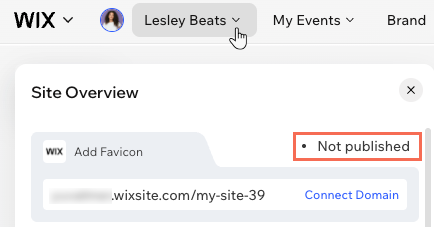
Check if your site is live and get its web address right from the top of the panel. Click
Connect Domain to use your own unique URL. For that extra touch of branding, click
Add Favicon to upload your own favicon, which is the icon that appears next to your site's name on the browser tab.
Adjust your info and look in seconds
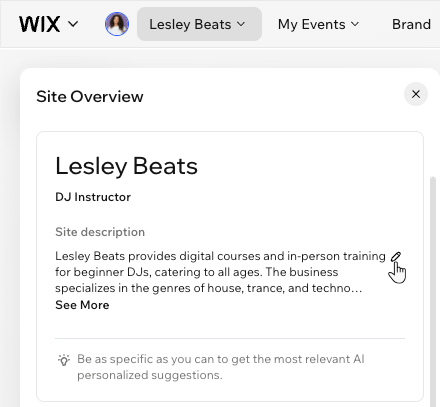
Make your site truly yours by instantly updating the name, business type and description. Just hover over the detail you want to adjust and click the
Edit icon
 . The more you personalize your info, the more helpful and relevant your AI-powered suggestions will be.
. The more you personalize your info, the more helpful and relevant your AI-powered suggestions will be.
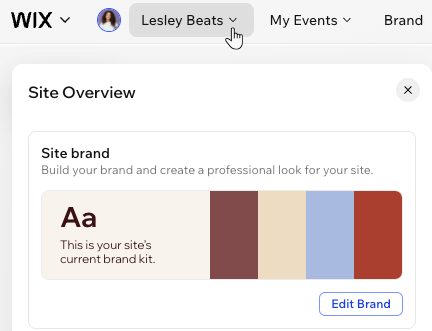
You also get a quick preview of your current brand colors and fonts, helping you to ensure the design feels fresh and relevant. Click
Edit Brand to open the
Brand panel and tune your style anytime.
Optimize your site for discovery
It's important to keep your finger on the pulse when it comes to
SEO – it determines how quickly people discover you on Google or any kind of online search. See how your site currently looks in search results and click
Go to SEO Tasks to complete the necessary steps to get you found.

In the
Social share section, see how your site looks when people share it on social media, like Facebook, Instagram and X (Twitter). Click
Customize to tweak your
social share settings for each site page, adding unique and informative content that visitors would look for.

Keep your site accessible
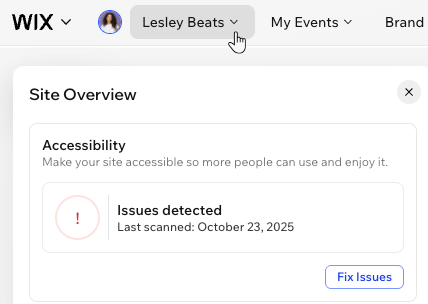
An accessible site means that everyone, regardless of ability, can access and enjoy your content. Check when you last ran an accessibility scan and click
Review Issues to see what the
Accessibility Wizard found, so you can quickly fix everything and open your site up to more people.
Stay updated with analytics
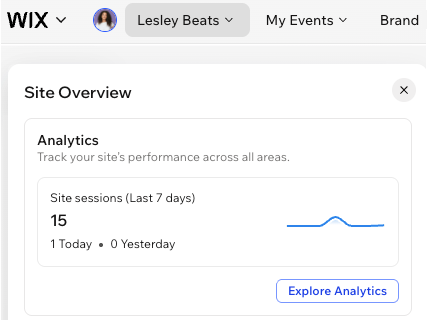
Wix Analytics offers many different reports that allow you to discover important insights. In the
Analytics section at the bottom of the overview, you can see a snapshot of your total site visits in the past week.
Click
Explore Analytics to get a complete overview, so you can recognize your wins and plan your next big move.