


Wix Harmony Editor: Grouping and Ungrouping Elements
In this article
- Creating a new group
- Editing a single element from a group
- Ungrouping elements
- FAQs
This article refers to the new Wix Harmony Editor, released in January 2026. If you're unsure whether you’re using the Wix Harmony Editor or the Wix Editor,
view more information here.
Grouping makes it easy to organize your site by letting you treat several elements as one. It helps keeping your layout tidy, move things together, and edit multiple items without losing their alignment. These groups are only visible to you, in the editor, and not to visitors.
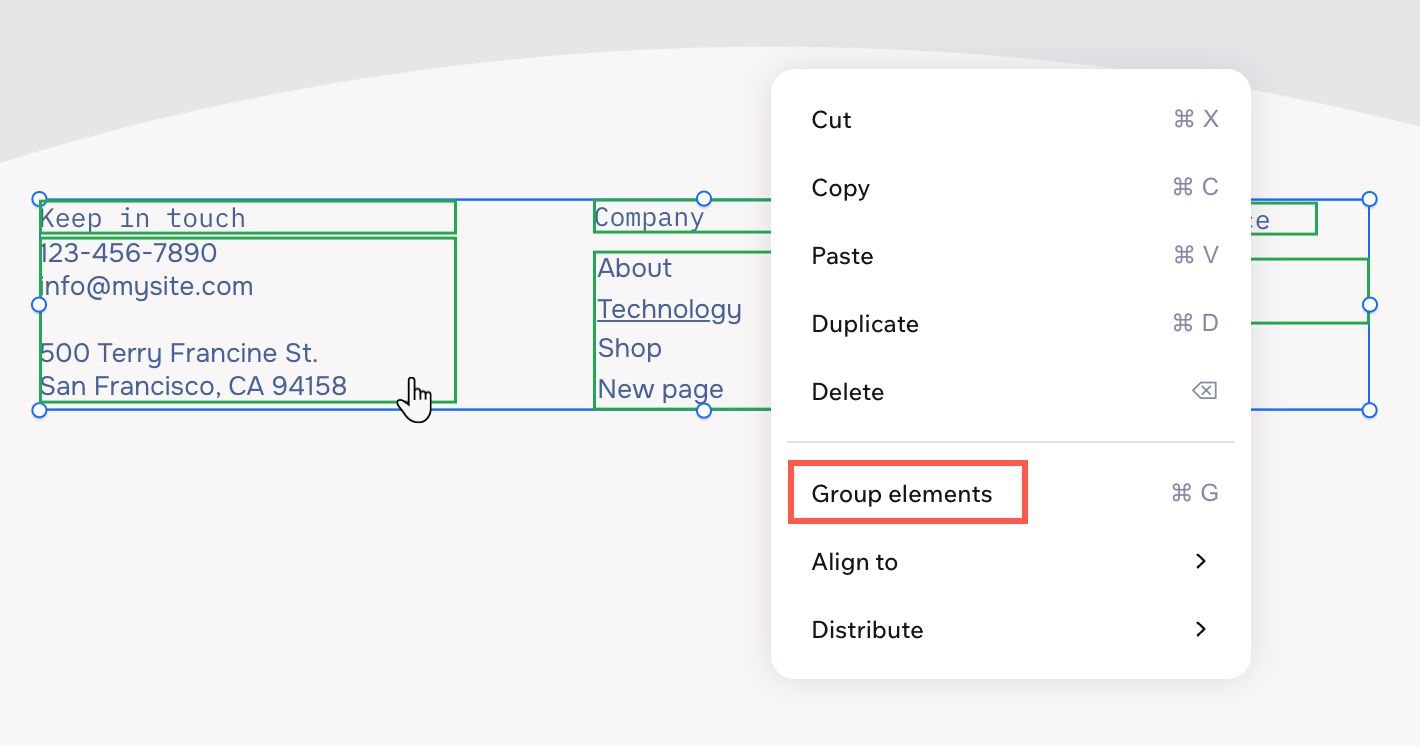
Creating a new group
Group a section's elements to move and align them together, saving you time as you update your design. You can add more elements to your group or merge existing groups into one larger group at any time.
To group elements:
- Go to your editor.
- Click the first element you want to include in the group.
- Hold the Shift key and click the other relevant elements.
- Click Group Elements on the action bar.
Tip:
You can also press
Ctrl + G /
Cmd + G on your keyboard to group the elements.
Editing a single element from a group
You can select and edit one element at a time from inside a group. Click the group on your page, then click the element you want to adjust.
To edit a single element from a group:
- Go to your editor.
- Click the group.
- Click the relevant element.
- Edit the element.
Tip:
You can also press
Ctrl on your keyboard and click the element (
Cmd + click on Mac) to select it.
Ungrouping elements
You can ungroup elements any time — no content is lost, just the group association.
To ungroup elements:
- Go to your editor.
- Click the group.
- Click Ungroup Elements on the action bar.
Tip:
You can also press
Ctrl + Shift + G (PC) /
Cmd + Shift + G (Mac) on your keyboard to quickly ungroup.
FAQs
Click a question below to learn more.
How many elements can I group together at once?
Are there any elements I can't group?
How do I add an element to an existing group?
