


Wix Harmony Editor: Editing a Site Together
In this article
- Inviting collaborators to your site
- Working together in the editor
- FAQs
This article refers to the new Wix Harmony Editor, released in January 2026. If you're unsure whether you’re using the Wix Harmony Editor or the Wix Editor,
view more information here.
In the Wix Harmony Editor, you and your team can work on your site together at the same time — no waiting or interruptions. See updates from others appear within seconds, and easily spot who’s editing each element or page.
Inviting collaborators to your site
When you invite people to work with you, you choose what
role(s) they get. We offer a ton of
predefined roles like Website Designer or Content Writer, already set up with the relevant permissions. However, you have the freedom to
create custom roles, picking and choosing the areas you want the collaborator to access.
Did you know?
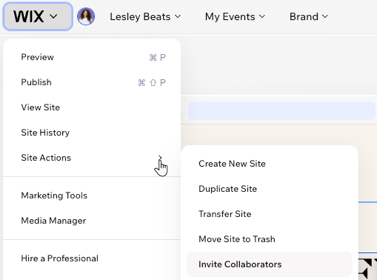
You can invite people to collaborate while you're working in your editor – no need to open the dashboard. Click the
Wix icon at the top left, hover over
Site Actions and select
Invite Collaborators.
Working together in the editor
You can always see who's working with you in the editor. Hover over a person's picture to see their name, email and current page.

Clicking the picture takes you to the page that person is currently working on. You can even see what element they selected, helping to avoid any editing conflicts.

Good to know:

When a collaborator logs in and joins you in the editor, you'll get a helpful notification.
FAQs
Click a question below to learn more.
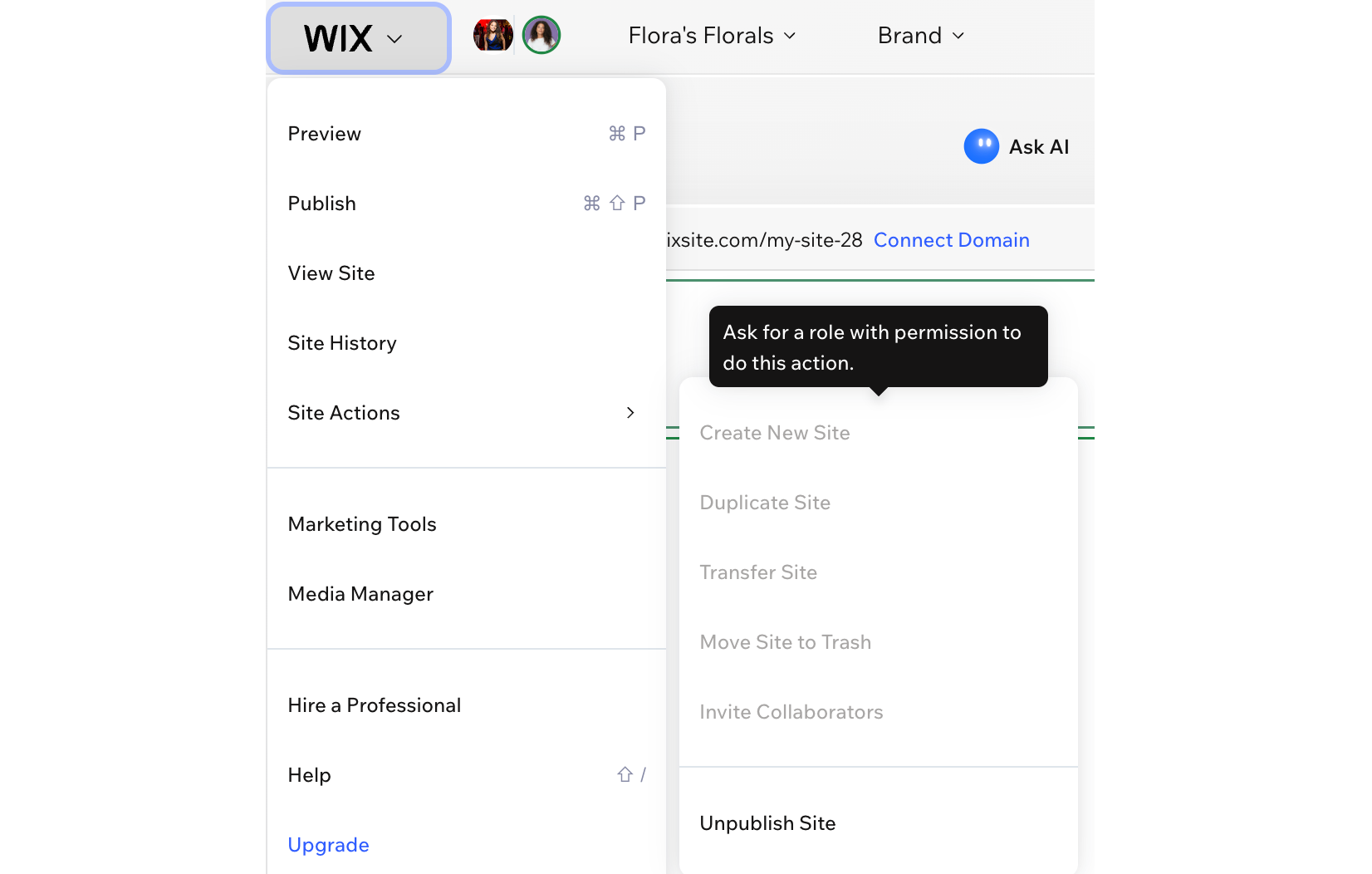
Why are some actions grayed out (disabled) for my collaborators?
Which roles let collaborators edit and publish my site?
Can collaborators change other people's roles?
I changed my collaborator's permissions. How long does it take to update?
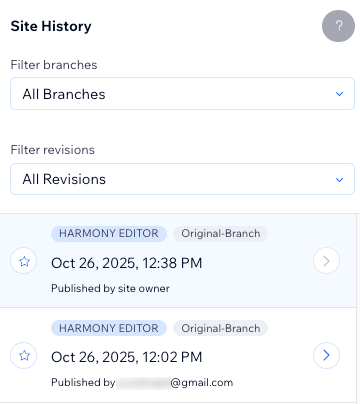
Can I see a history of the changes made to my site?
What happens if 2 people accidentally work on the same element?

Create with Wix Harmony:
Experience the next generation of website creation with
Wix Harmony. Flow freely between prompting your AI agent and precise drag and drop, so creating feels as natural as thinking.
