


Wix Harmony Editor: Adding a Logo to Your Site
In this article
- Adding a logo to your site
- Customzing the logo's design
- FAQs
This article refers to the new Wix Harmony Editor, released in January 2026. If you're unsure whether you’re using the Wix Harmony Editor or the Wix Editor,
view more information here.
Your logo is at the heart of your brand's identity. It helps people recognise your site at a glance and sets a professional tone for everything you do.
Have a logo ready to go? Upload it to your site and get up and running right away. Or, if you want to try something new, use the
Wix Logo Maker to experiment with designs and create a logo that really captures your brand’s personality.

Adding a logo to your site
Upload your own existing logo or create a new logo from inside your site's editor. You can upload directly from your Media Manager or get creative with the Logo Maker.
To add a logo:
- Go to your editor.
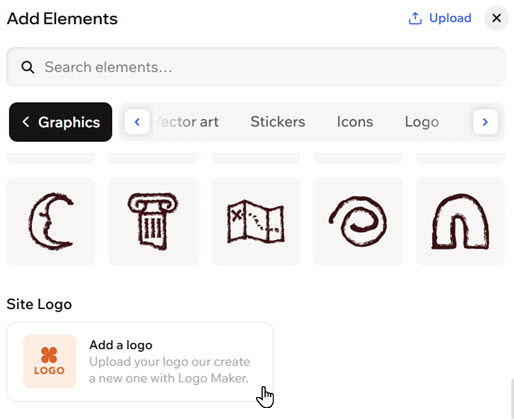
- Click + Add at the top left of the editor.
- Select the Graphics category.
- Scroll down to Site Logo and click Add a logo.
- Click the logo element on the page.
- Click Customize Logo on the action bar.
- Choose what you want to do:
- Create a logo with the Logo Maker:
- Click Create with Logo Maker.
- (Optional) Add a tagline to appear on the logo.
- Hover over the design you like best and choose what to do next:
- Add to site: Add the logo directly to your site.
- Customize: Customize the logo using the available options.
- Click Apply to Site.
- Upload my own:
- Click Upload Logo.
- Select the relevant file from the Media Manager.
- Click Update.
- Create a logo with the Logo Maker:
Customzing the logo's design
Take a moment to perfect your logo so it reflects your vision. Remove the logo's background, crop it to the perfect size, or revisit the Logo Maker to explore new touches - every detail adds to your brand’s story.
To customize a logo:
- Go to your editor.
- Click the logo element on the page.
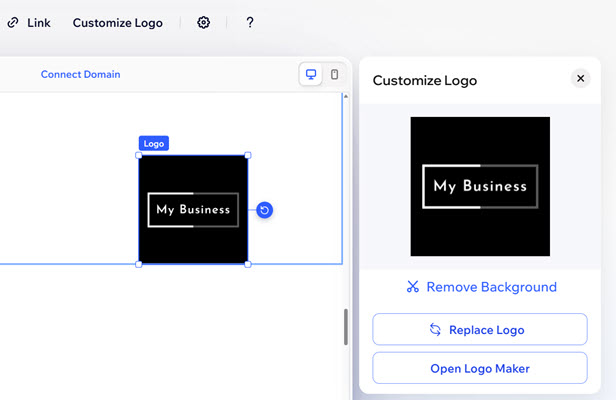
- Click Customize Logo on the action bar.
- Choose what you want to customize:
Remove the logo's background
Edit a logo created with Logo Maker
Replace the logo with your own file
FAQs
Click a question below to learn more about adding a logo to your site:
How can I add a link to my logo?
 .
.How can I add alt text to my logo?
 on the action bar.
Can I create another version of the logo I created with the Logo Maker?
 .
.Do I need to pay to create a logo with Wix?
What are the recommended ratios for logos I upload?
Where are my logo files stored?
