


Unable to Log In to Your Wix Account
- I’ve forgotten my password
- I’ve forgotten my email address
- I can’t access my email address
- I need to recover my Wix account
- FAQs
If you are having trouble logging in to your Wix account, try the steps below that best match the issue you’re having. Get help resetting your password, finding your login email, or accessing your account with your recovery phone number.
If you can’t access the email address that you use to log in, or you can’t access your Wix account for some other reason, you can recover your account.
If you’re having trouble verifying your login with 2-Step verification or a passkey, read the following articles to get help signing in:
I’ve forgotten my password
Request a password reset link if you have forgotten your password. The link is sent to your email address. From there you’ll be able to create a new password and log in to your Wix account.
To request a password reset link:
Enter your email address and click Continue with Email.
Click Forgot Password?
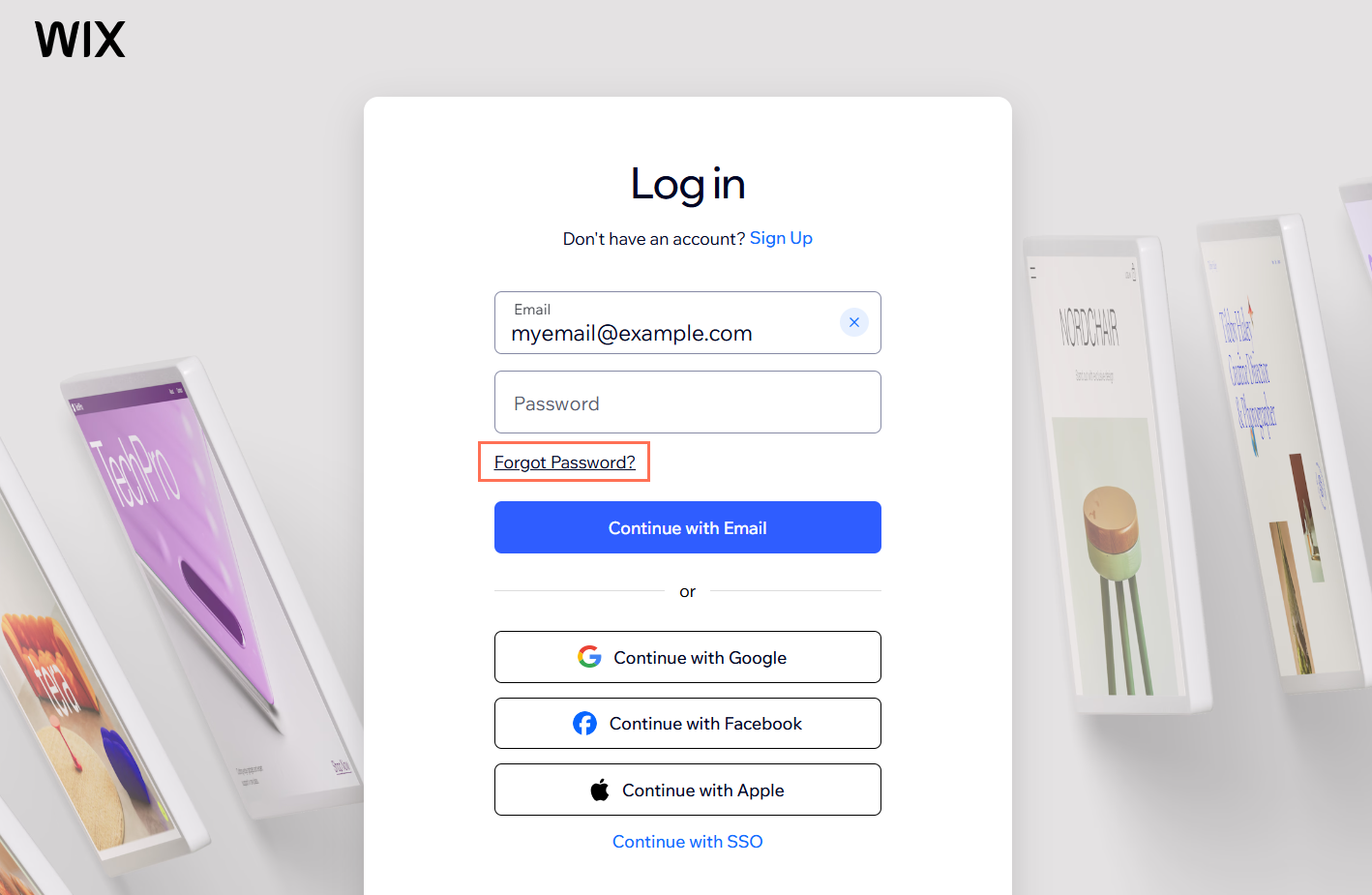
Enter your email address and click Send.
Check your email and follow the instructions to create your new password.
If your email address exists in our system, you'll receive an email with the link to reset your password. Be sure to check your spam or junk folders. If you don't receive the email, make sure that you entered your email address correctly.
I’ve forgotten my email address
If you can't remember the email address you used to create your Wix account, we’ll send it by text to your recovery phone number. If you don’t have a recovery phone number added to your account, you can verify your identity to access your account.
To find your email address:
Click Forgot Email?
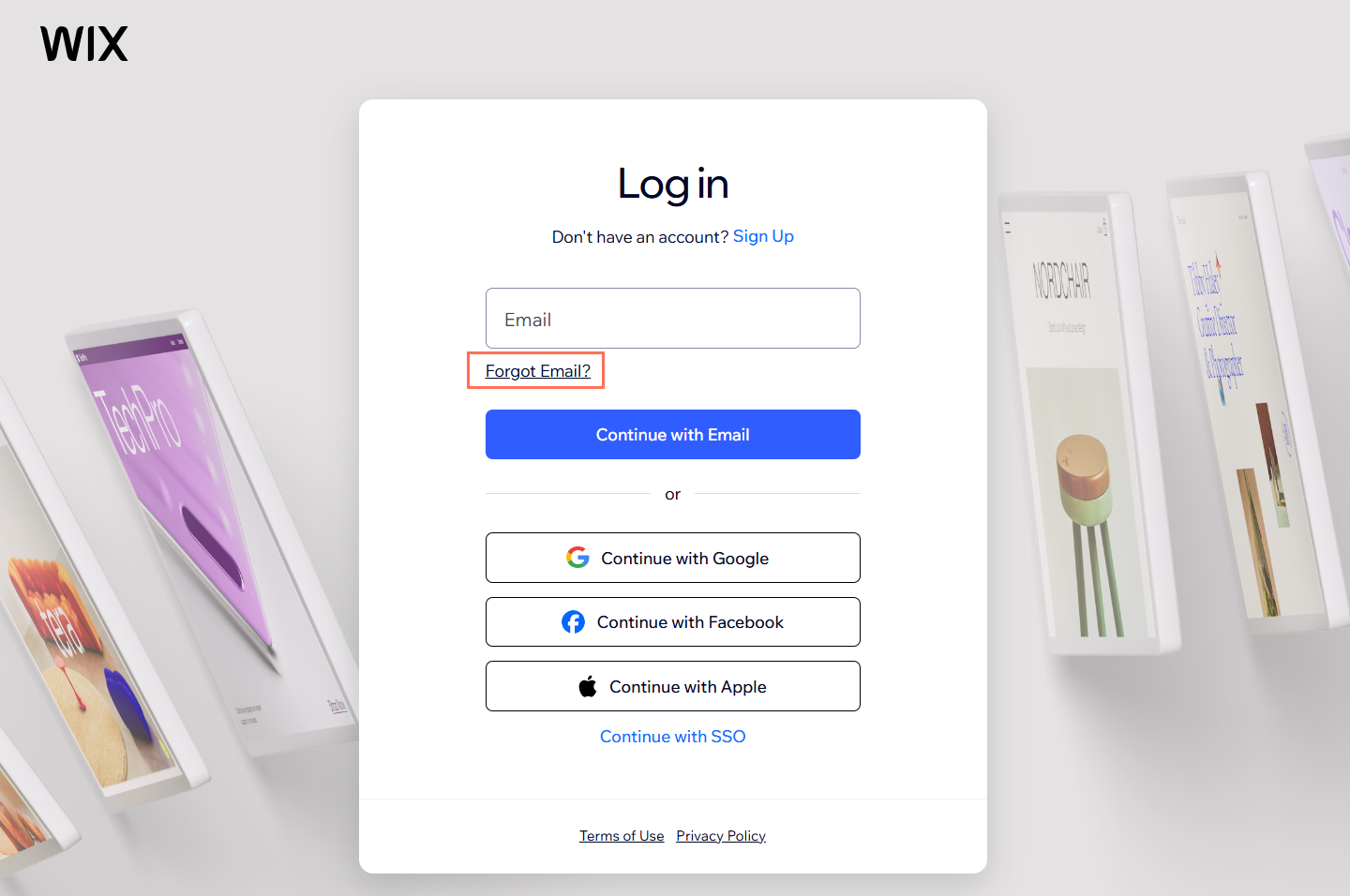
Select I forgot my login email.
Enter the URL of your website.
Click Continue after answering the remaining question.
Select your country from the dropdown and enter your phone number.
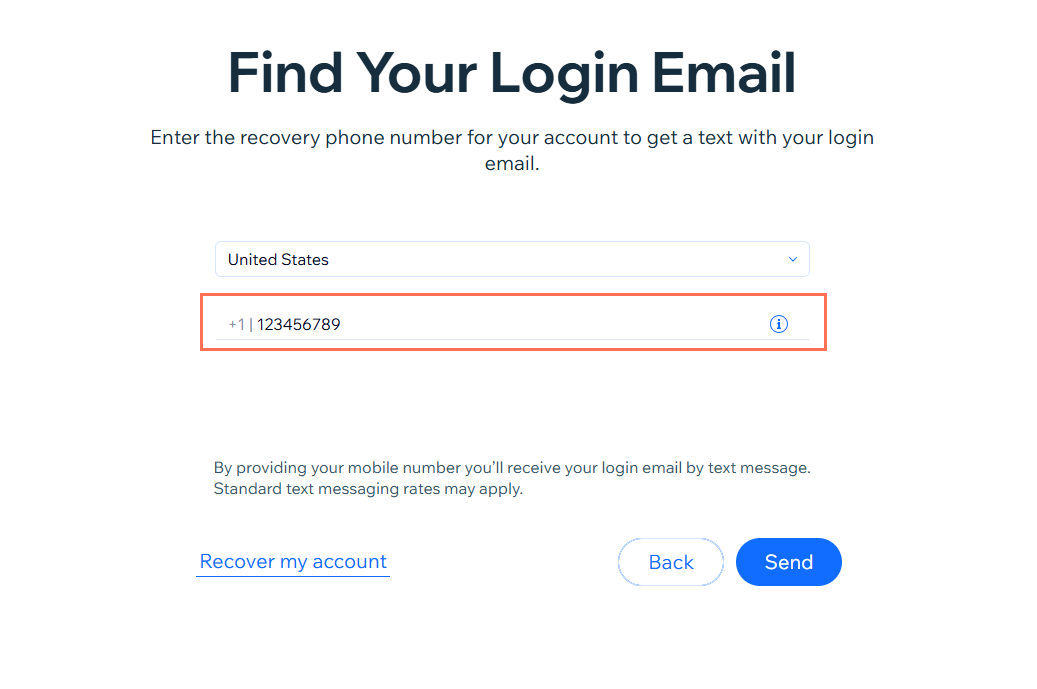
Click Send.
Your log email is sent by text message to your recovery phone number. You can now log in as normal with your email address and password, or reset your password if you’ve forgotten it.
If you do not have a recovery phone number, follow the steps on screen to verify your identity. You can upload a photo of your ID and a selfie. After you verify, you can create a new password and log in with your email and password as normal. Once you regain access to your account we recommend setting up a recovery phone number.
I can’t access my email address
If you no longer have access to your email, we recommend trying to regain access with your email provider first. Having an active email that you can access is important for the security of your account.
However, if you cannot regain access and you have added a recovery phone number to your Wix account, you can get a one-time SMS code sent to your mobile phone to regain access.
To verify your email address:
Click Forgot Email?
Select I can't access my login email.
Enter the email address associated with your Wix account.
Click Continue after answering the remaining question.
Select Send me a code to my phone number ending with XXXX and click Next.
Enter the one-time verification code then click Verify.
Enter a new password in both fields.
Click Save New Password.
Once you regain access to your account, make sure to change the email address of your account to one that you have access to.
I need to recover my Wix account
If you don’t know or can’t access the email address associated with your Wix account and you don’t have a recovery phone number enabled, fill out the Wix Account Recovery form. Wix can then verify that you're the owner of the account and help you recover access.
If someone else manages the Wix account, contact them directly to request access. Wix is unable to help you access someone else’s account.
However, if you need help verifying ownership of a domain or payment method connected to a Wix account you don’t own, fill out the Account Recovery form. Our team will review your request. Make sure to provide a valid contact email so we can respond to you.
The privacy of our users is one of our top priorities. Wix uses a third-party verification partner to verify your identity. You will be asked to submit a photo of yourself and a photo of your ID.
If you submit a request with an inactive or invalid email address, it won't be delivered to our Customer Care team. Make sure that you enter a valid email address that you have access to.
Wix will determine the ownership of the account and grant access to it in accordance with section 1.5 of Wix’s Terms of Use.
To recover your account:
Answer the on-screen questions by selecting the relevant options.
Click Continue.
Note: Depending on your account type, you may be asked to answer some additional questions. Follow the on-screen prompts.Click Begin Verifying to verify your identity.
Tip: Have a government-issued ID and a mobile phone ready. You’ll need to use your phone to submit a picture of your ID and photo of yourself.Scan the QR code on your phone to open the verification page.
Note: The verification page will open automatically if you’re filling out the form on your phone.Click Take a Photo on your device to submit a picture of your ID.
Note: Make sure to allow photo or camera permissions so you can take the photo.Click Take a selfie to upload a photo of yourself.
Tip: Your selfie is taken automatically. Follow the on-screen instructions to ensure your photo meets the verification requirements.Follow the steps on screen to access your account.
Tip: If you’re using a computer, go back to the account recovery screen (where you scanned the QR code).
After you successfully verify your identity, you can create a new password and access your account right away. In some cases, where more information is required, you can submit a Customer Care ticket. Our team will review your request and get back to you via email.
FAQs
Click a question below to learn more about recovering your account.
