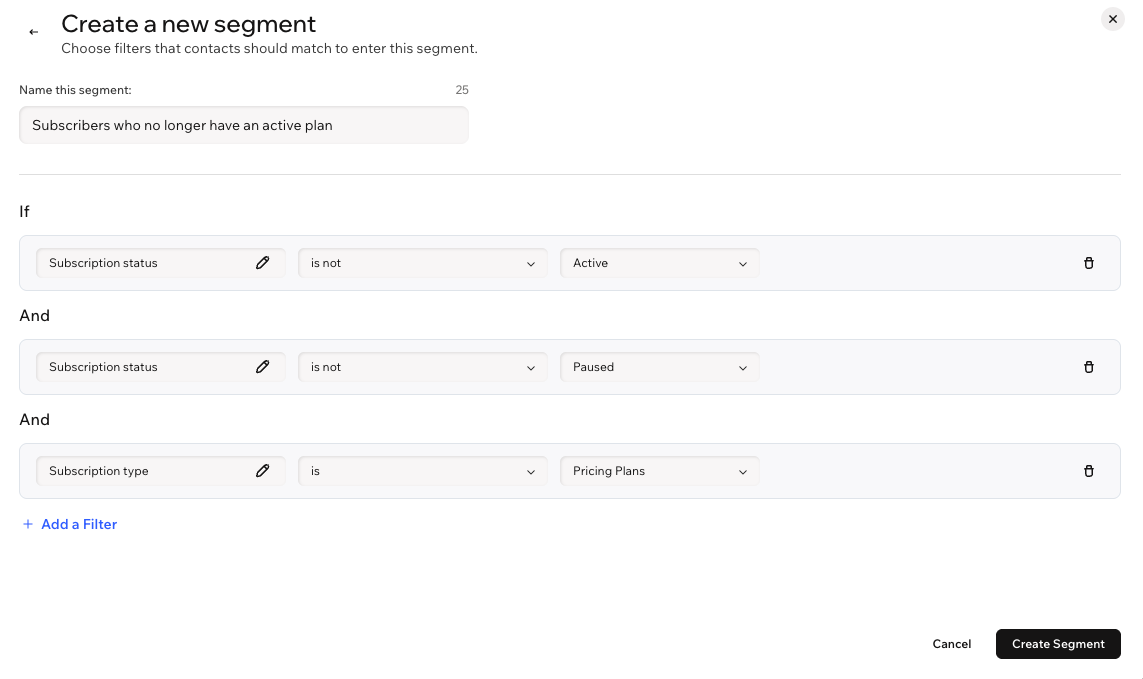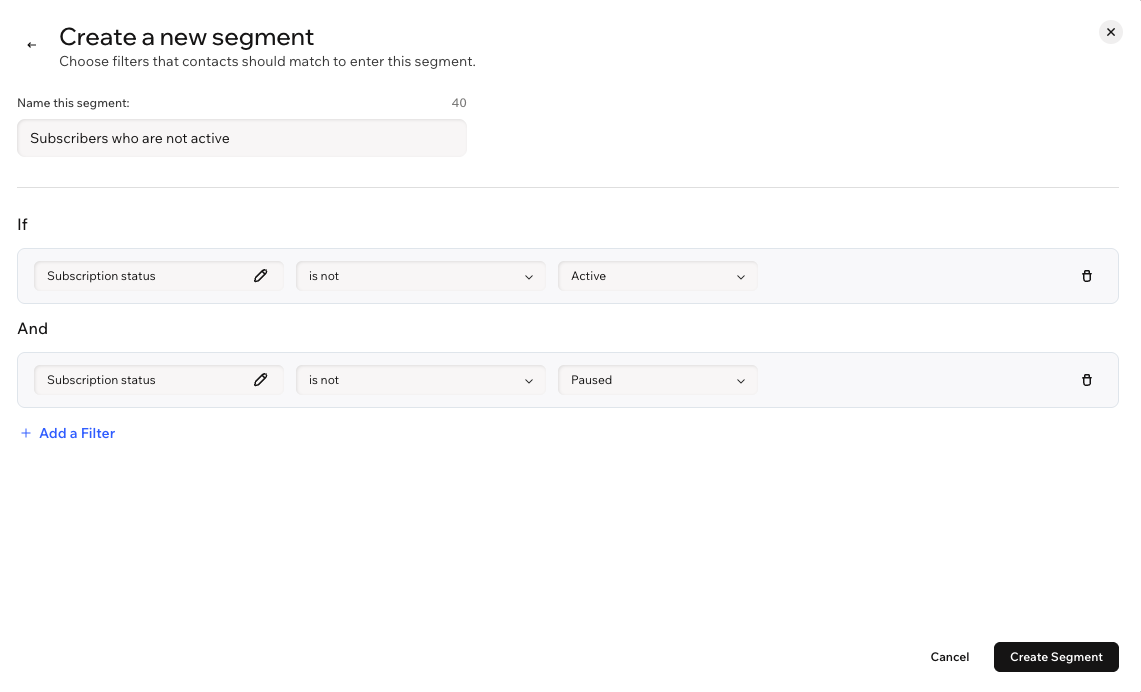
Pricing Plans: Creating Segments For Your Subscribers
Use segments to group contacts based on their Pricing Plans subscription activity. This helps you send the right message to the right people such as active subscribers, new members, or people whose subscriptions ended.
Pricing Plans segments automatically use subscription data, such as purchased plans and subscription status, to group contacts.
Creating a segment for your subscribers
Create a segment from scratch using pricing plans filters to target the contacts you want to reach. For example, reach new subscribers with a welcome message, onboarding tips, or a first-purchase thank-you.
To create a segment:
Go to Contacts in your site's dashboard.
Click Manage Segments at the top right.
Click + Create Segment.
Click + Start from Scratch.
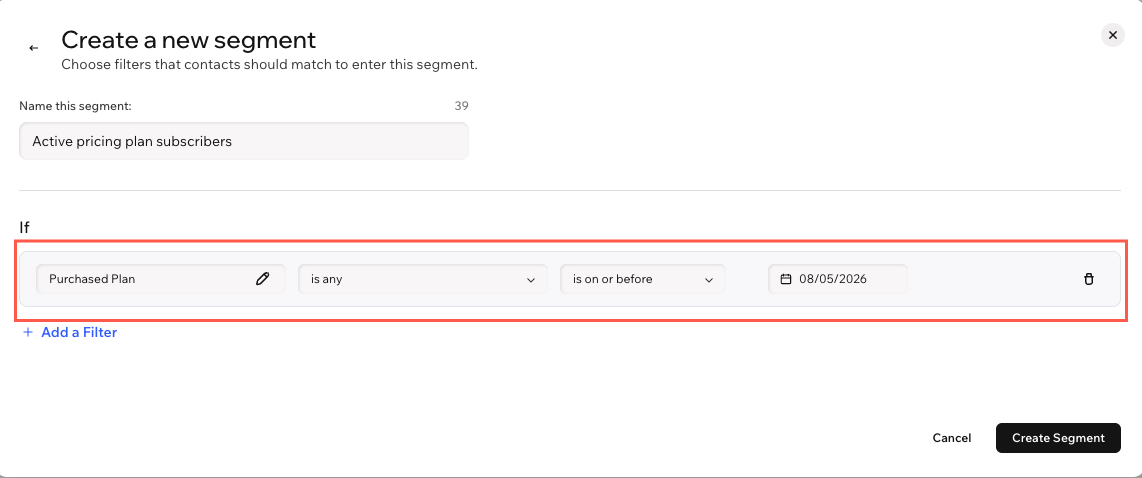
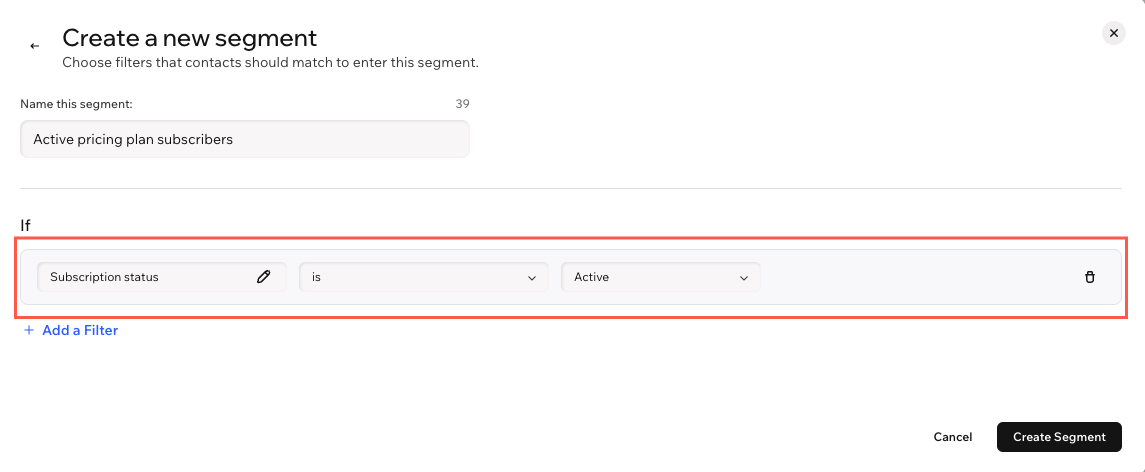
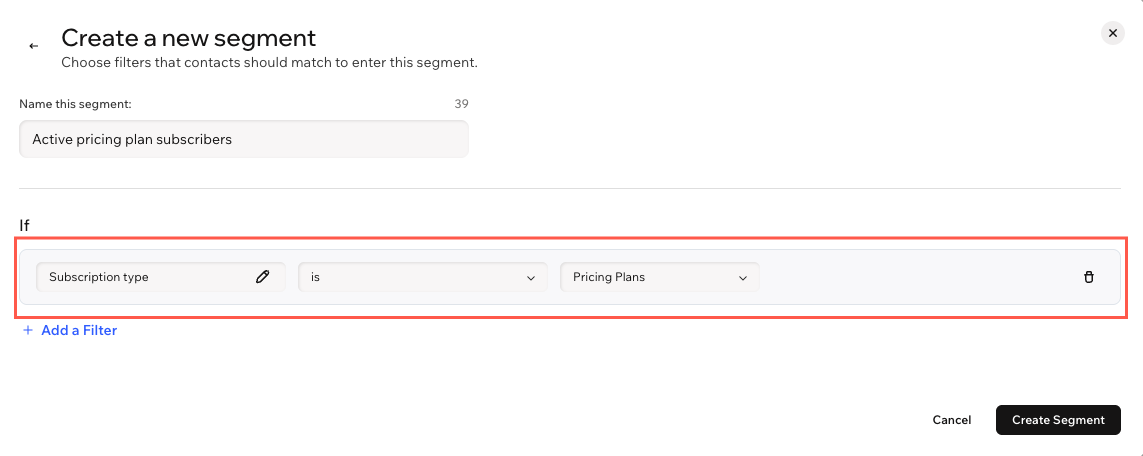
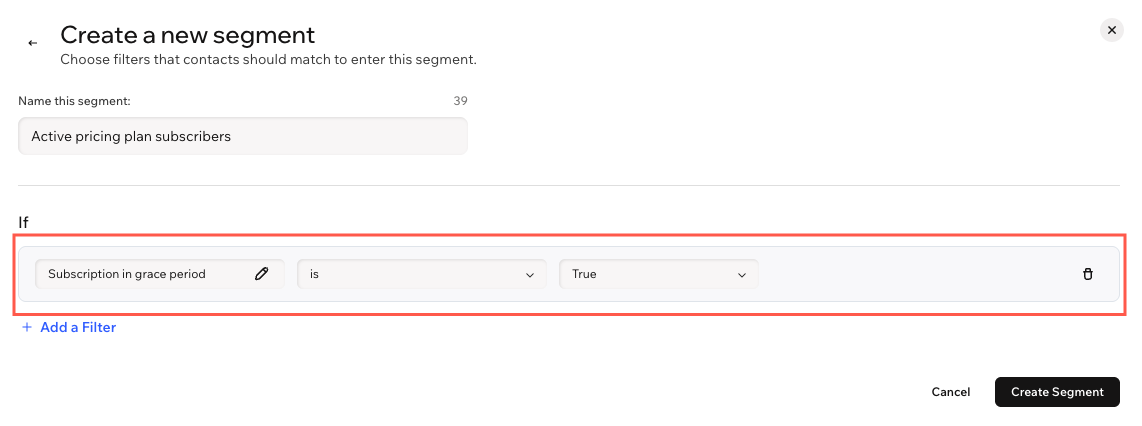
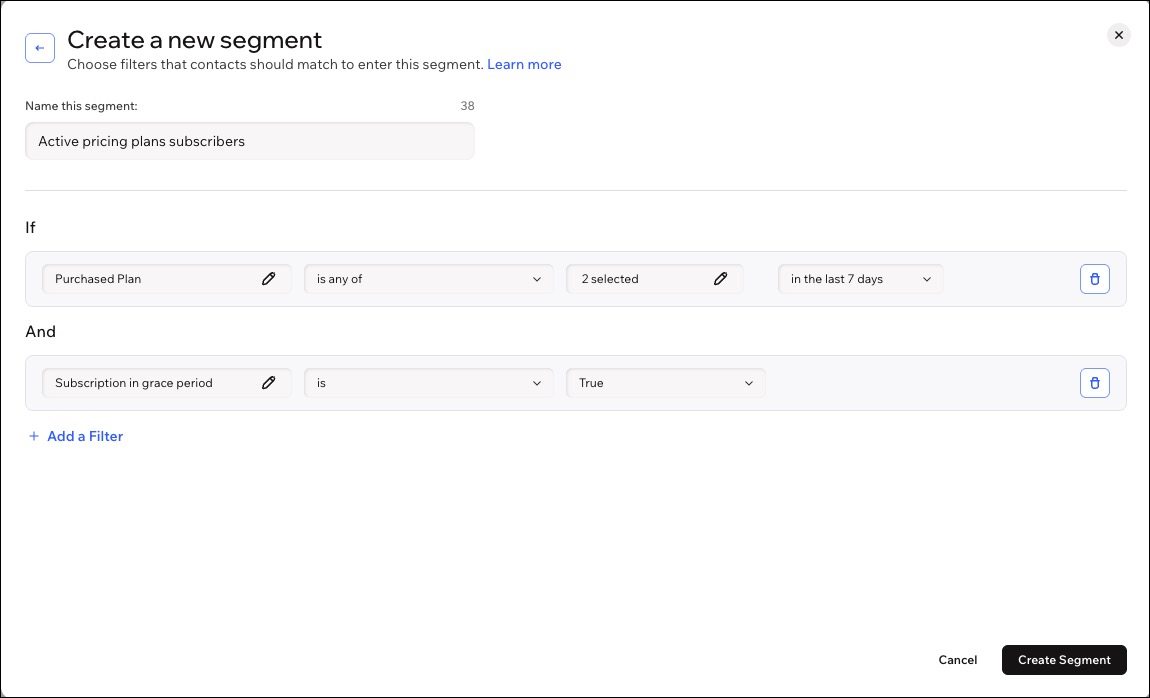
Enter a name for your segment (e.g. Active pricing plan subscribers).
Click + Add a Filter.
Choose a filter relevant to Pricing Plans:
Click Create Segment.
FAQs
Click a question below to learn more about creating a segment for your subscribers.