Managing Your Site's Notification Preferences
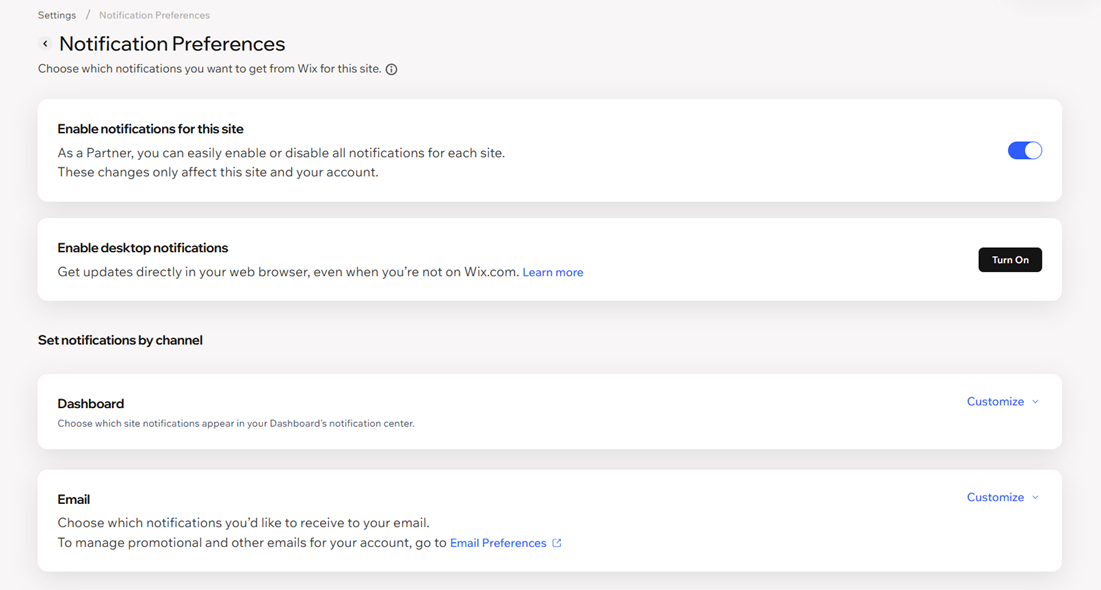
Enabling desktop notifications
To enable desktop push notifications:
Go to Notification Preferences in your site's dashboard.
(For Wix Studio users) Click the toggle next to Enable notifications for this site.
Tip: Learn more about managing site notifications for client sites.Click Turn On next to Enable desktop notifications.

Managing your dashboard notifications
You'll see 3 notification icons:
Inbox
 : Indicates that someone contacted you through your site.
Bell
 : Lets you see when someone interacted with your site, such as purchasing a product from your store, or booking a service.
News Center : Shows you product updates which are relevant to the tools and features you're using.
 : Shows you product updates which are relevant to the tools and features you're using.

To enable or disable your dashboard notifications:
Go to Notification Preferences in your site dashboard.
(For Wix Studio users) Click the toggle next to Enable notifications for this site.
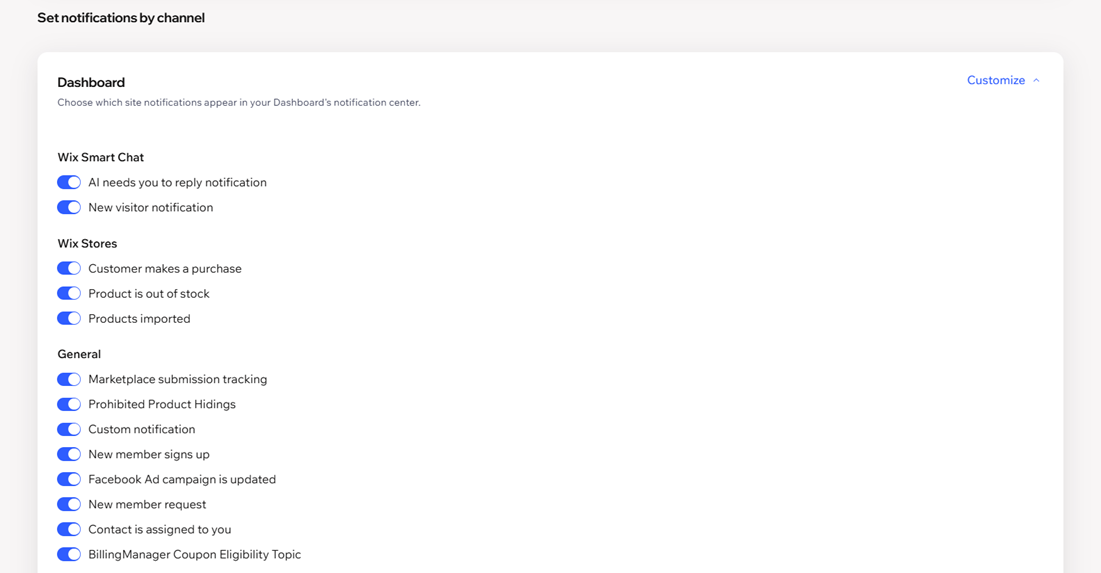
Tip: Learn more about managing site notifications for client sites.Click Customize next to Dashboard.
Enable or disable the toggle next to the notifications you want to see in your dashboard.
Managing your email notifications
To enable or disable your email notifications:
Go to Notification Preferences in your dashboard.
(For Wix Studio users) Click the toggle next to Enable notifications for this site.
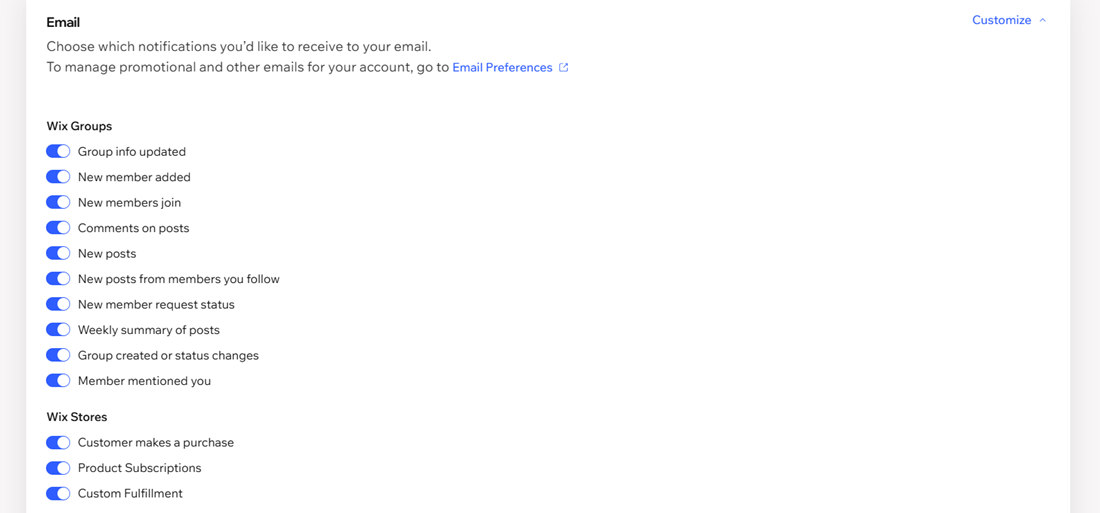
Tip: Learn more about managing site notifications for client sites.Click Customize next to Email.
Enable or disable the toggle next to the notifications you want to receive to your email.
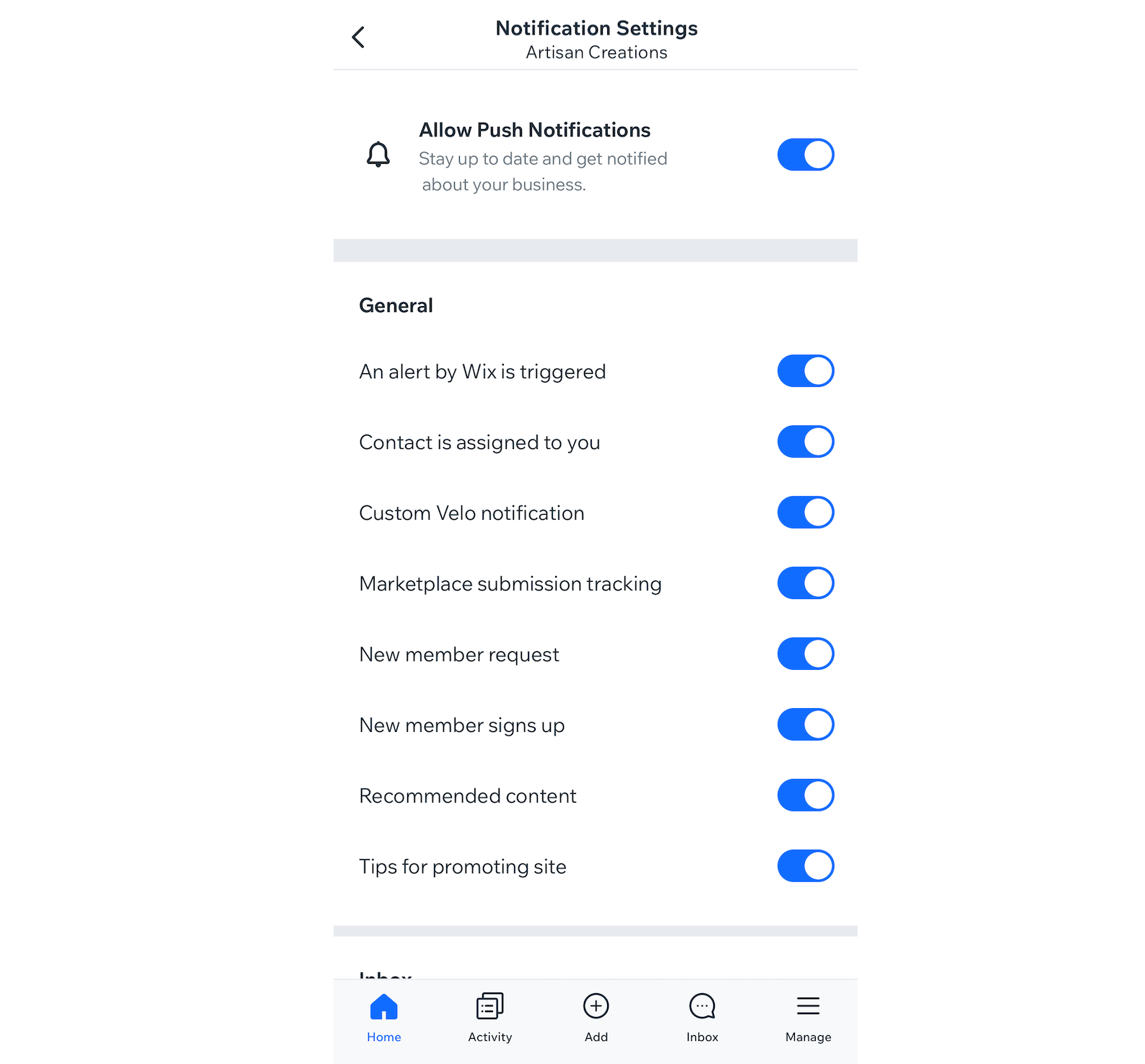
Managing notifications on your mobile device
To manage notifications on your mobile device:
- Go to your site in the Wix app.
- Tap the Notifications icon
 at the top.
- Tap the More Actions icon
 .
- Tap Manage notifications.
- Tap the Allow Push Notifications toggle to enable or disable notifications.
Note: If you cannot tap the toggle, you must first enable Wix app notifications from your mobile device settings. - (For disabling notifications) Select for how long you want to disable notifications for (8 hours, 1 week, 1 month, 1 year, or permanently).
- Tap the toggles next to each type of notification to enable or disable them.