


Enabling NLWeb for AI Agent Access
In this article
- Installing NLWeb
- Managing AI Agent access
- FAQs
NLWeb (Natural Language Web) is an open-source framework from Microsoft that makes your website directly queryable by both people and AI agents. Instead of clicking through links and menus, your site visitors can ask AI agents, such as Gemini or ChatGPT, questions in natural language and get structured, context-aware answers from your own content.
After a one-time installation, NLWeb sets up an agent-based interaction layer on top of your public data. It lets AI agents have a conversation with your site, not just crawl it, by exposing an AI-friendly view of sources like your
Schema.org markup, product feeds, and RSS. This helps agents and LLMs return more accurate conversational answers through the NLWeb WebApp connected to your site.
View an example for an e-commerce site
Important:
- NLWeb is separate from traditional search engine indexing and does not change how Google, Bing, or other search engines crawl or rank your site.
- You must have an upgraded site and have a connected domain to use the NLWeb integration.
- NLWeb currently only supports the main language of your site.
Installing NLWeb
Install NLWeb to give AI agent access to your site's structured content. After installation, the
ASK protocol is switched on so AI agents that support NLWeb can query your public content.
To install NLWeb:
- Go to SEO & GEO in your site's dashboard.
- Scroll down to Tools and settings.
- Click NLWeb.
- Click Install NLWeb.
Note: Indexing may take a few minutes depending on the size of your site.
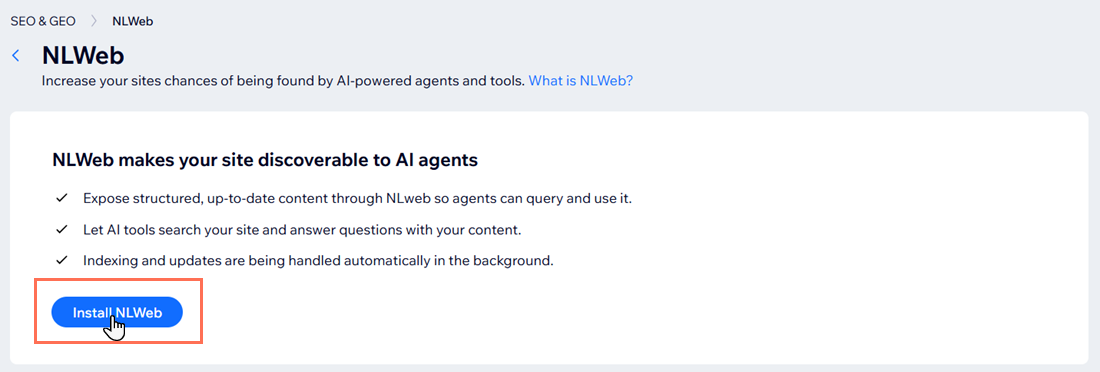
After installation:
- NLWeb queries your site so it will be able to answer in a machine-readable format that AI agents can query.
- The ASK protocol is automatically enabled, allowing supported AI agents to query your site's public content through natural language questions.
Managing AI Agent access
Use the ASK protocol setting in the NLWeb tool in the SEO dashboard to decide whether AI agents can query your indexed structured content. You can switch this access on or off at any time without changing your existing NLWeb connection.
To manage AI Agent access:
- Go to SEO & GEO in your site's dashboard.
- Scroll down to Tools and settings.
- Click NLWeb.
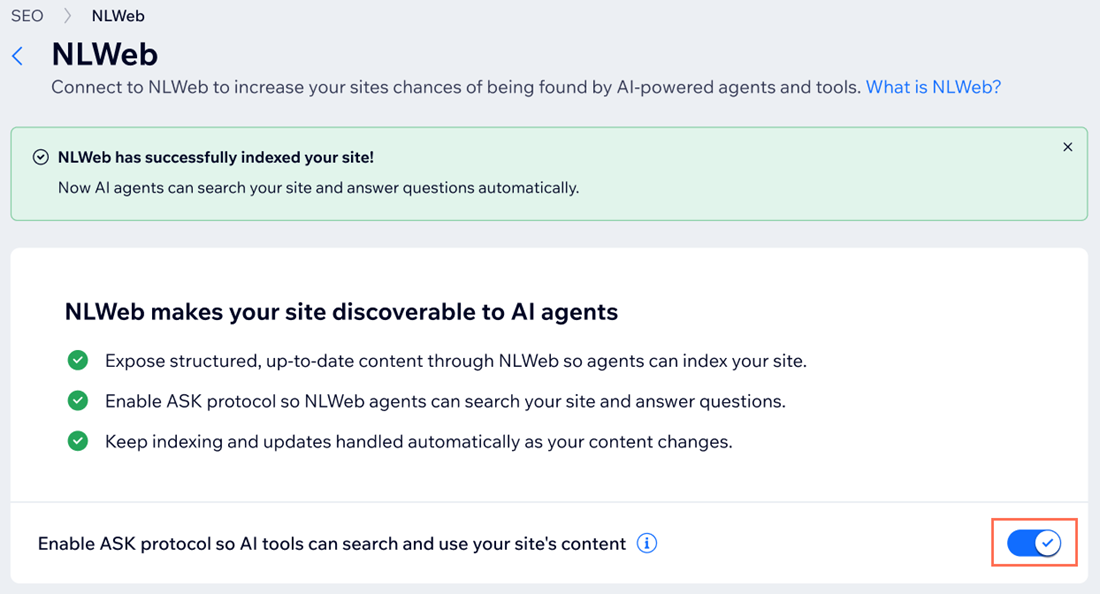
- Click the toggle next to Enable ASK protocol so AI tools can search and use your site's content:
- Enabled: AI agents that support NLWeb can query your site's public structured content through natural language questions.
- Disabled: Your site stays connected to NLWeb but is inactive for AI queries, so agents cannot use it to answer questions.
FAQs
Click a question below to learn more about NLWeb for AI Agent access.
What content is visible to NLWeb?
Can I remove my site from NLWeb after installation?
Does NLWeb affect my site's SEO ranking?
What is the difference between NLWeb and search engine indexing?
Will AI agents access my private content through NLWeb?
I have blocked AI crawlers in my robots.txt file, will NLWeb still work?
I want to test how NLWeb works on my site. What do I do?
