


Base44 Payments: Accepting Payments in Israel
In this article
- Connecting Tranzila
- Managing your Tranzila payment methods
- FAQs
Accept payments from your customers in Israel using
Tranzila for your Base44 app. Using Tranzila, your customers can pay with credit / debit cards, bit, Apple Pay, Google Pay, recurring payments and installment payments.
Connecting Tranzila
Connect Tranzila to your Base44 app to start accepting online payments from your customers. If you already have a Tranzila account, you can connect it right away. If not, create an account first and then return to complete the setup.
To connect your Tranzila account:
- Log in to Base44.
- Go to your app editor.
- Ask the AI chat to set up payments on your app. For example, you can ask: "Enable online payments."
- Click Connect Payments by Wix.
- Click Dashboard.
- Click Overview.
- Click Manage next to Payments to open the Payments dashboard.
- Click Manage Payment Methods.
- Click Connect next to Tranzila.
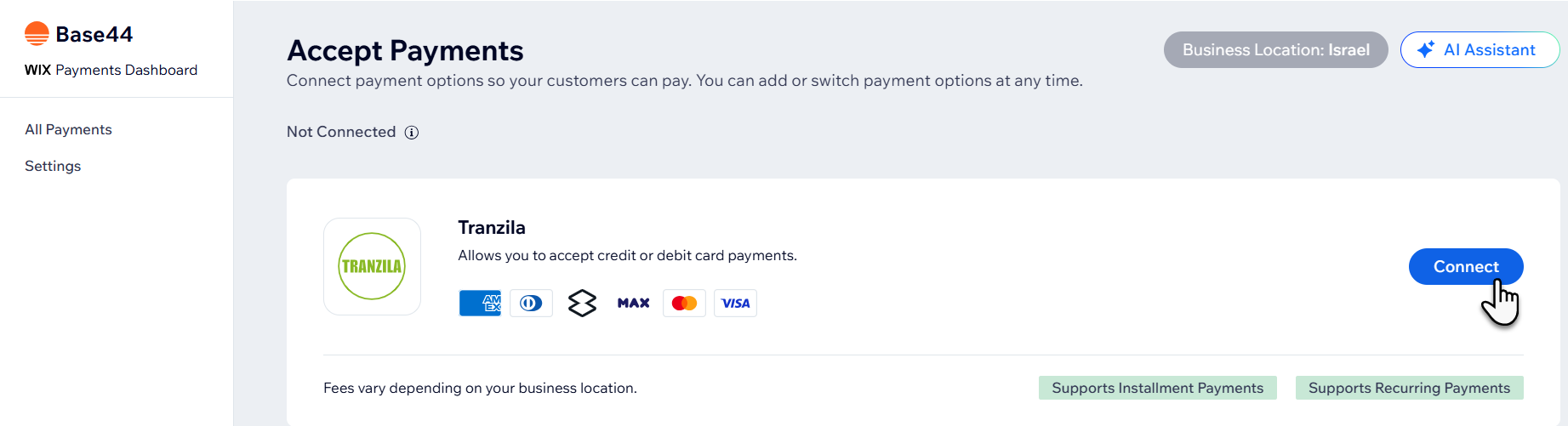
- Depending on whether you are creating a new Tranzila account or have an existing account, follow the instructions:
Have an account
Don't have an account
Managing your Tranzila payment methods
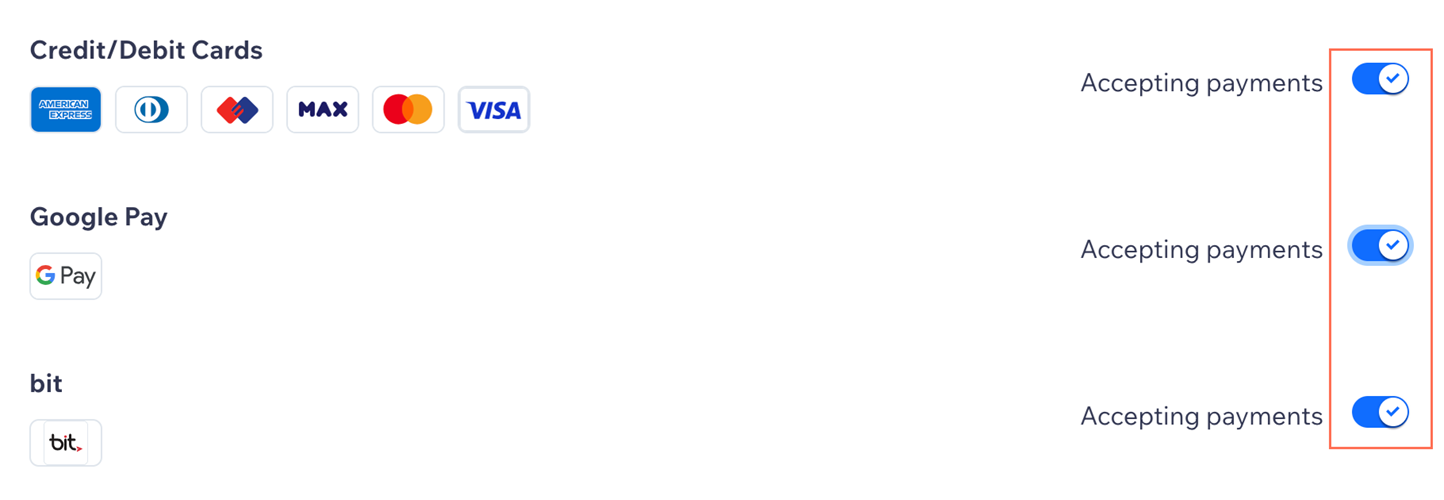
Once you've connected Tranzila as your payment provider, you can enable or disable your payment methods (cards, Apple Pay, Google Pay, bit) as required.
To manage your payment methods:
- Log in to Base44.
- Click Dashboard in your app editor.
- Click Overview.
- Click Manage next to Payments to open the Payments dashboard.
- Click Manage next to Tranzila.
- Enable / disable the toggle next to your desired payment method.
FAQs
Click a question below to learn more about accepting payments.
Can I accept Google Pay payments without accepting card payments?
Can I enable 3D Secure (3DS) payments with Tranzila?
How can I tell if a payment method is active?

What is a minimum payment amount?
Can I offer recurring payments?
How do I get my payouts?
How can I troubleshoot payment issues in my Base44 app?
Do I need to upgrade my app to accept payments with Tranzila in Base44?
