


Adding a Legacy Contact to Your Wix Account
- Adding a legacy contact
- Editing your legacy contact
- Removing your legacy contact
- How your legacy contact requests your account
- FAQs
A legacy contact is someone you choose to take over ownership of your Wix account after your death. They do not have access to your account while you are alive, and Wix does not notify them that you selected them. You can add, update, or remove your legacy contact at any time in your account settings.
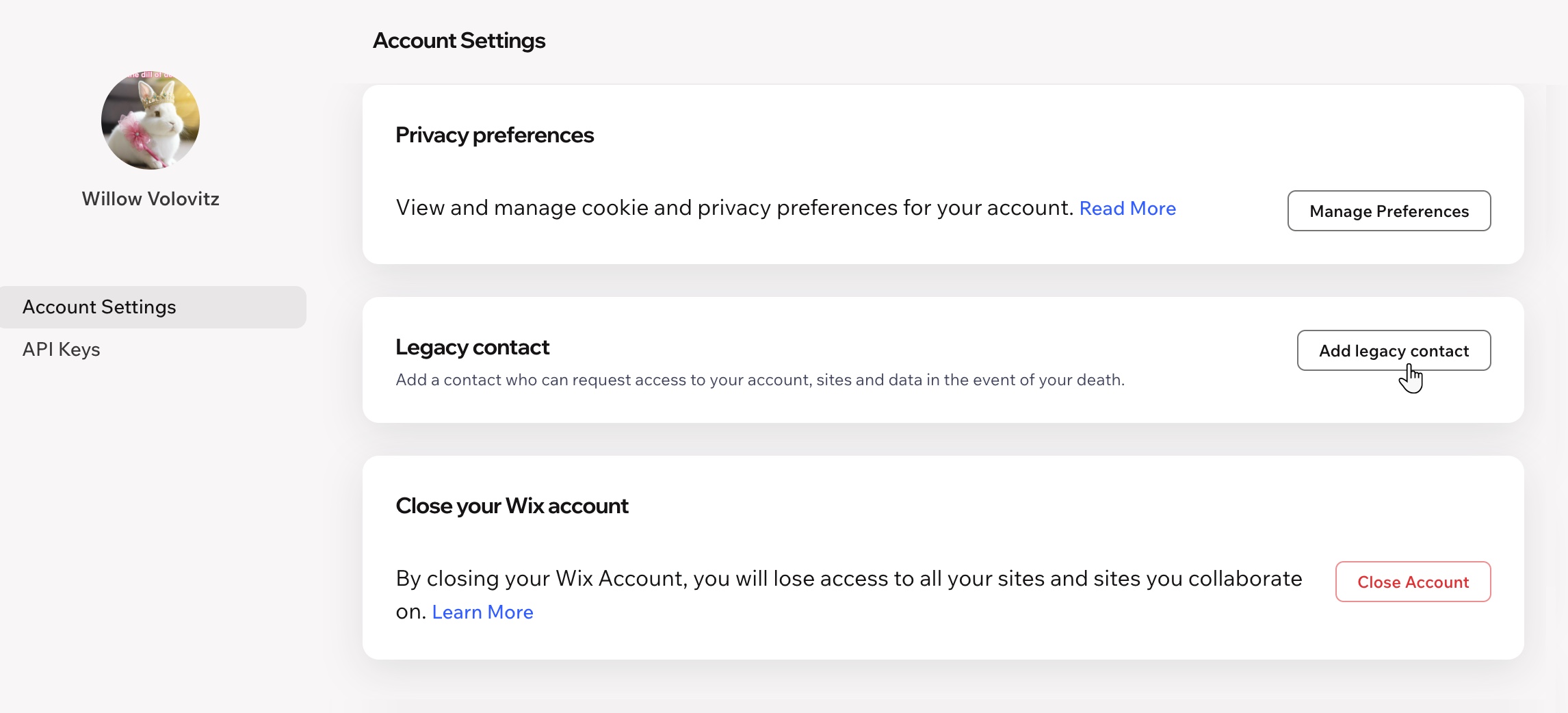
Adding a legacy contact
Choose someone you trust to take over your account. For example, if you run an agency, you can choose a team member so they can request the agency's account and its client sites.
The steps depend on whether your account has one workspace or more than one. Only the account owner can add a legacy contact. If your account has more than one workspace, the owner of each workspace adds a legacy contact for that workspace.
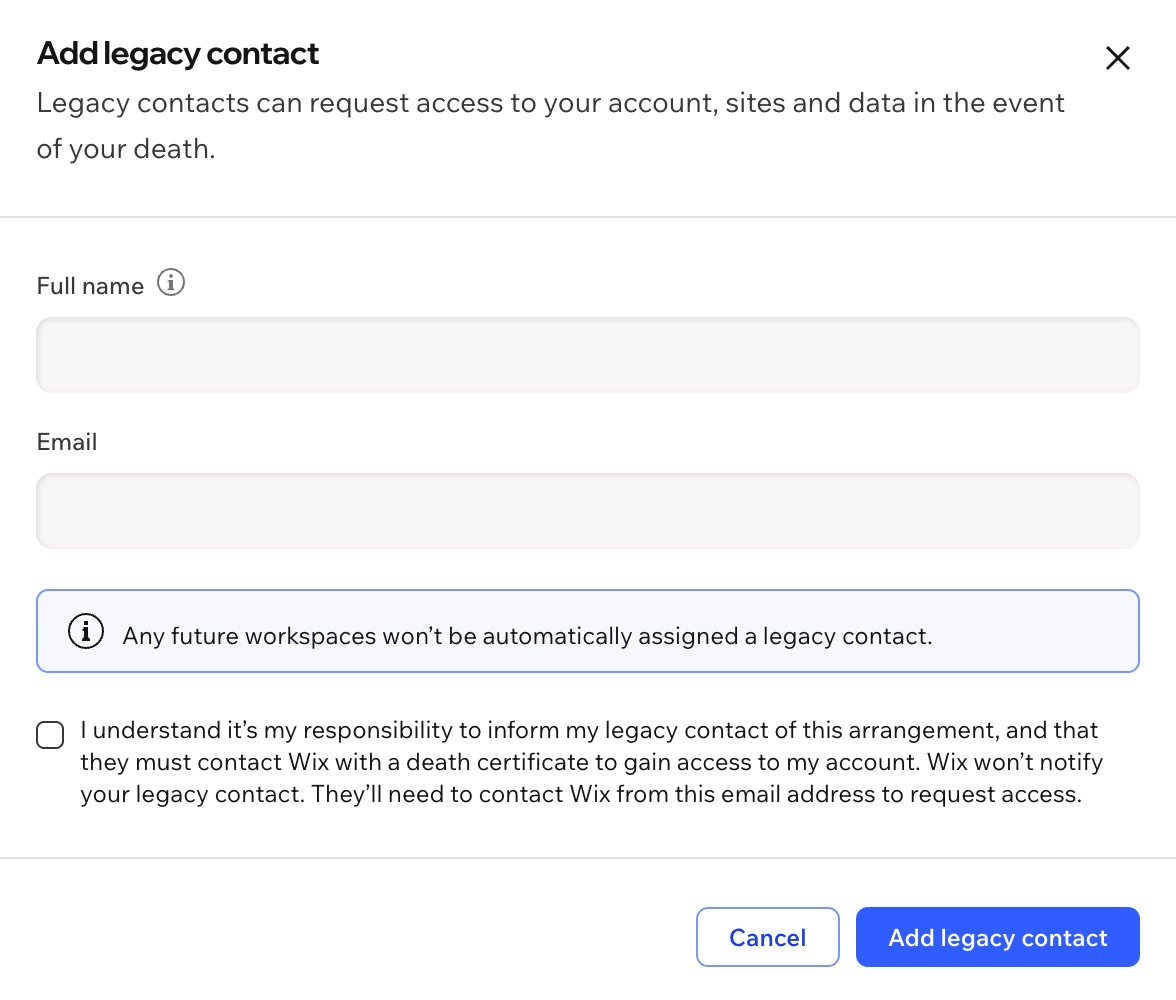
Wix doesn't notify your legacy contact that you chose them. Make sure to tell them yourself.
Your legacy contact needs to contact Wix from this email address, and identify themselves with this name.
To add a legacy contact:
Go to Account Settings in your Wix account.
Scroll down to Legacy contact.
Click Add legacy contact.
Enter your contact's Full name, exactly as it appears on their legal documents (e.g. driver's license, ID, passport).
Enter their Email address.
Select the checkbox to confirm you understand the arrangement.
Click Add legacy contact.
Editing your legacy contact
You can update your legacy contact's details at any time, for example, if they get a new email address.
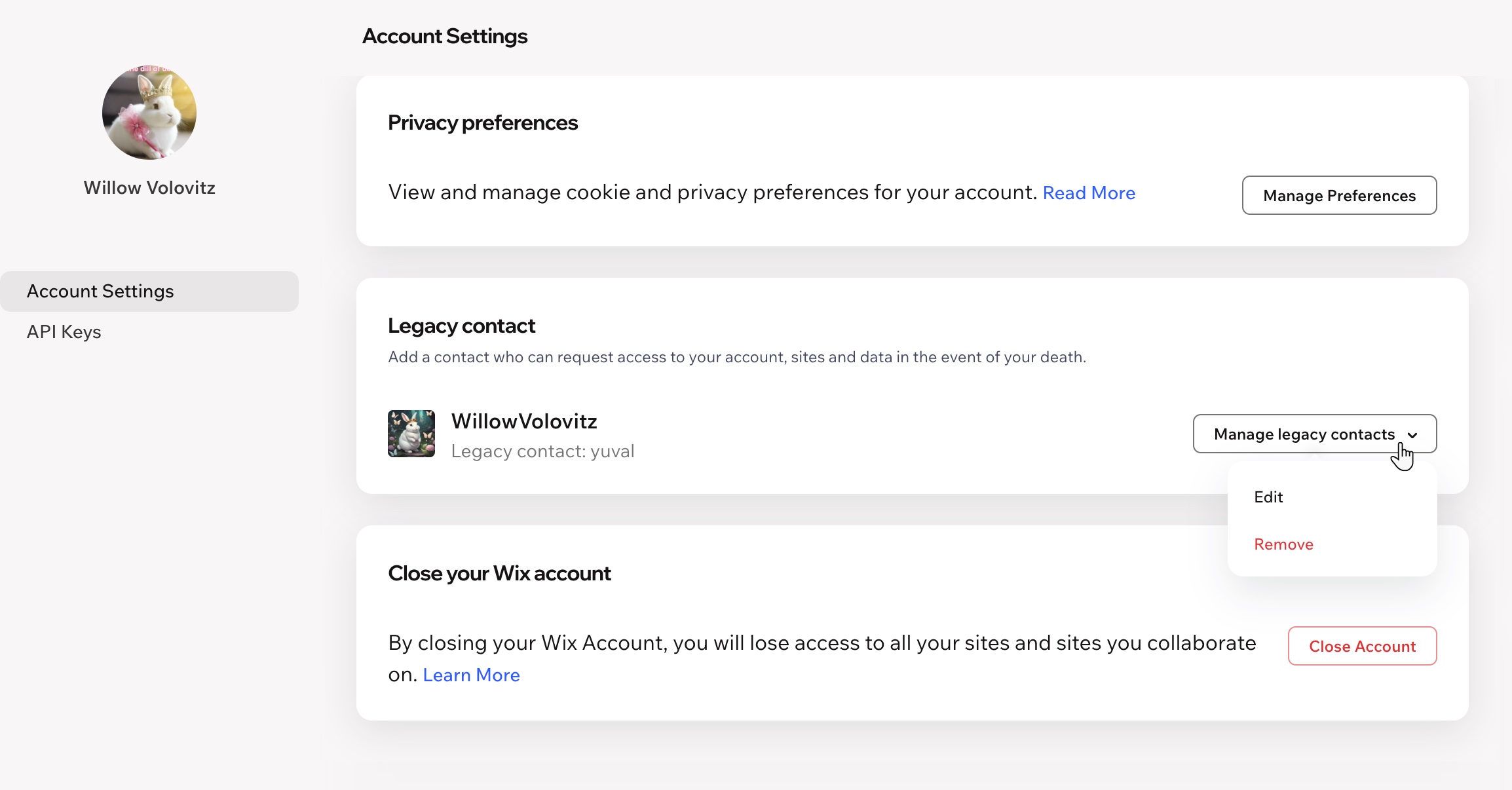
To edit your legacy contact:
Go to Account Settings in your Wix account.
Scroll down to Legacy contact.
Click Edit next to your legacy contact.
Update the Full name, Email, or both.
Click Save.
Removing your legacy contact
Once you remove your legacy contact, they can no longer request your account. You can add a new legacy contact whenever you want.
To remove your legacy contact:
Go to Account Settings in your Wix account.
Scroll down to Legacy contact.
Click Remove next to your legacy contact.
Click Remove Legacy Contact to confirm.
How your legacy contact requests your account
Wix doesn't transfer your account automatically. After your death, your legacy contact needs to contact Wix Customer Care and request it.
To make a request, your legacy contact needs to:
- Contact Wix from the email address you entered for them
- Provide a death certificate
- Provide identification that matches the full name you entered
Wix reviews every request manually. Approval is not automatic.
If Wix approves the request, ownership of the account transfers to your legacy contact. They get full access to the account, its sites, and all the data in it, including the personal data of your site's contacts, members, and customers.
FAQs
Click a question below to learn more about legacy contacts.
