


Email Marketing: Unsubscribing From Your Email Campaign
4 min
In this article
- Unsubscribing from an email campaign mailing list
- Viewing contacts who unsubscribed
- Troubleshooting issues with your unsubscribe link
- FAQs
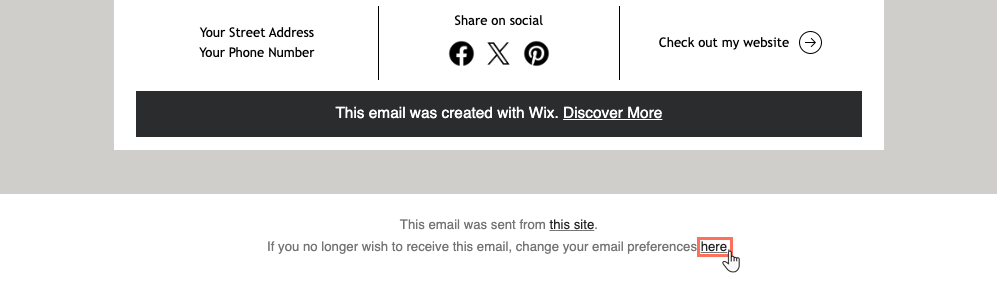
Every email campaign must include an opt-out option that is clearly visible to subscribers. For this reason, a 'change email preferences' link appears at the bottom of the email and cannot be removed or edited.
In your dashboard, you can always filter contacts by their subscription status to make sure you are not messaging those who unsubscribed.
Important:
Do not add your own unsubscribe link to your email campaign as this can cause it to get declined.
Unsubscribing from an email campaign mailing list
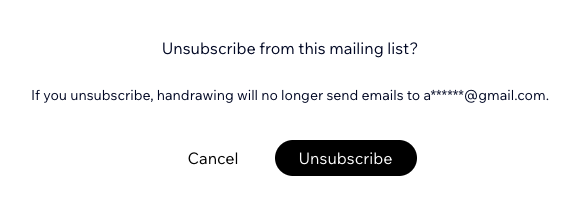
When recipients open your email in their mailbox, they can click a link at the bottom to change their email preferences. A new tab opens where the recipient can click Unsubscribe to confirm that they want to be removed from your mailing list.
After confirming, the recipient's status changes to "Unsubscribed" in your contacts list. This ensures the contact does not receive future emails from your campaigns.
To unsubscribe from an email campaign mailing list:
- Go to the email campaign in your inbox and scroll to the bottom.
- Click here next to the sentence: "If you no longer wish to receive this email, change your email preferences."
- Click Unsubscribe to confirm your choice.
Viewing contacts who unsubscribed
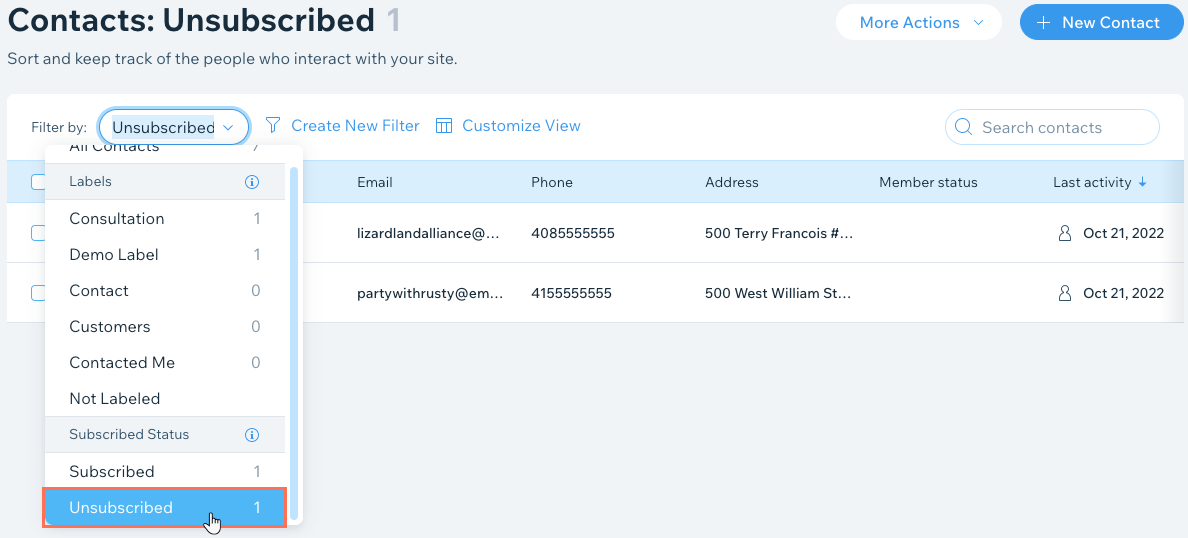
View which recipients have unsubscribed from your mailing list in the contacts section of your site's dashboard. You can filter your contacts by subscription status: 'Subscribed' or 'Unsubscribed'.
To view your unsubscribed contacts:
- Go to Contacts in your site's dashboard.
- Click the Filter by: drop-down at the top of the list.
- Scroll down and click Unsubscribed under Subscribed Status.
Note:
If you are previewing or testing emails, the unsubscribe link will lead to this article rather than the unsubscribe flow. Once you publish and send to recipients, however, the unsubscribe link works as normal.
Troubleshooting issues with your unsubscribe link
If you are experiencing issues with the unsubscribe link (the link doesn't appear or doesn't work) try the following troubleshooting steps:
Step 1 | Check if the link was in a test email
Step 2 | Make sure you're clicking both unsubscribe links
Step 3 | Test the link in a mail client other than Microsoft Outlook
Note:
The unsubscribe text at the bottom of your email campaigns is written in the language of the associated Wix account. To change the language, change your account language. If you change the language, the unsubscribe text changes for future campaigns only. All past campaigns still show the original language.
FAQs
Click below to learn more about unsubscribing from an email campaign.
Why can't I see the unsubscribe link in my email campaign?
Can a user unsubscribe from an email within their mail app?
Why does the unsubscribe link direct users to my website instead of the unsubscribe page?
Why does the unsubscribe link open a Wix help center article?
