


About the New Booking Calendar
In this article
- Performance Calendar
- Expandable calendar
- See booked days at a glance
- A new indicator for today’s date
- New weekly and staff views
- Improved performance on mobile
- Matching colors with your dashboard booking calendar
The booking calendar in the Wix app has a new look and feel, designed to make it easier to see your schedule, add new sessions, and manage your team on the go. The new version is faster, more visual, and closer to the calendar you know from your site’s dashboard.
Performance Calendar
The new calendar introduces a more flexible and intuitive way to manage your schedule. With real-time updates and improved visibility, it helps you navigate your appointments more efficiently and stay oriented at a glance.
Expandable calendar
In the new calendar, you can expand or collapse the calendar area, and your calendar updates in real time. This makes it easier to switch between dates and your daily schedule so you can:
- Collapse the calendar to create more space for your appointments, while still keeping the month and year visible.
- Easily scroll backward or forward through the months when expanding the calendar and selecting any relevant day.
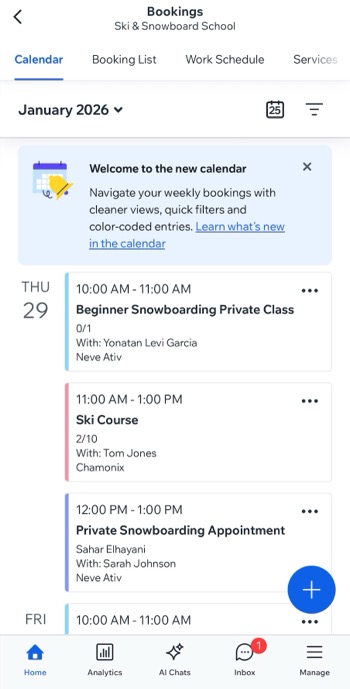
See booked days at a glance
In the new calendar, you can see at a glance which days have scheduled appointments and which do not without noticeable loading. This makes it easy to scan the month and quickly spot both free and busy days. You can also scroll smoothly to view past events.
A new indicator for today’s date
In the new calendar, the
Today's date
 icon takes you to the current day and is highlighted in the expandable calendar.
icon takes you to the current day and is highlighted in the expandable calendar.
New weekly and staff views
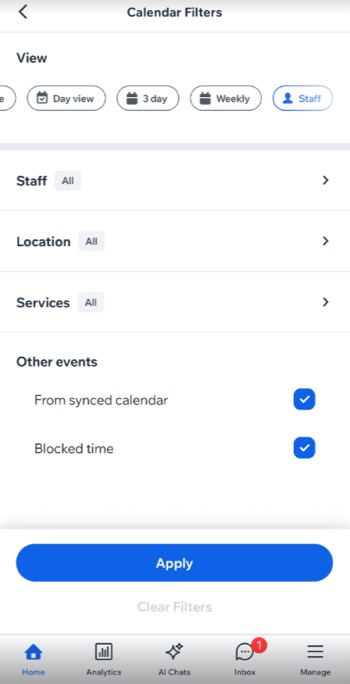
The new calendar includes two views for planning ahead and balancing your team’s schedule:
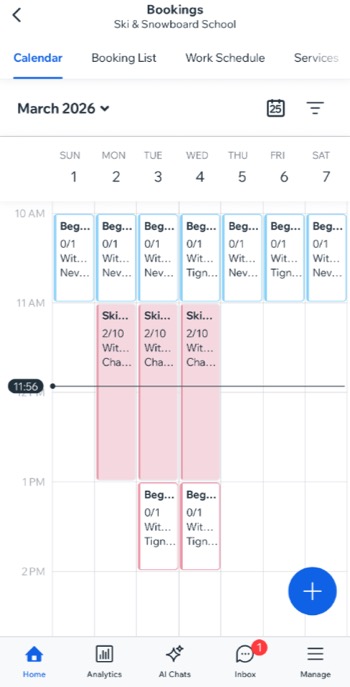
- Weekly view: See all sessions and empty time slots for a full week so you can understand your workload at a glance and find room for new bookings.
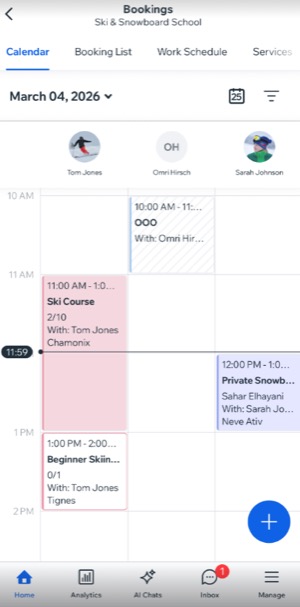
- Staff view: See a specific day laid out in columns by staff member, so you can compare workloads side by side and decide who should take new sessions.
Improved performance on mobile
The new calendar delivers a smoother mobile experience with real-time updates, faster loading, and more responsive scrolling and navigation—no refresh needed.
Matching colors with your dashboard booking calendar
Now reflecting the same colors you set in your site’s dashboard Booking Calendar, you can display your bookings in the softer Modern palette, or the brighter Classic color palette. You can also choose to color code events by staff member, or by services. Learn more about
customizing your Booking Calendar on desktop.
